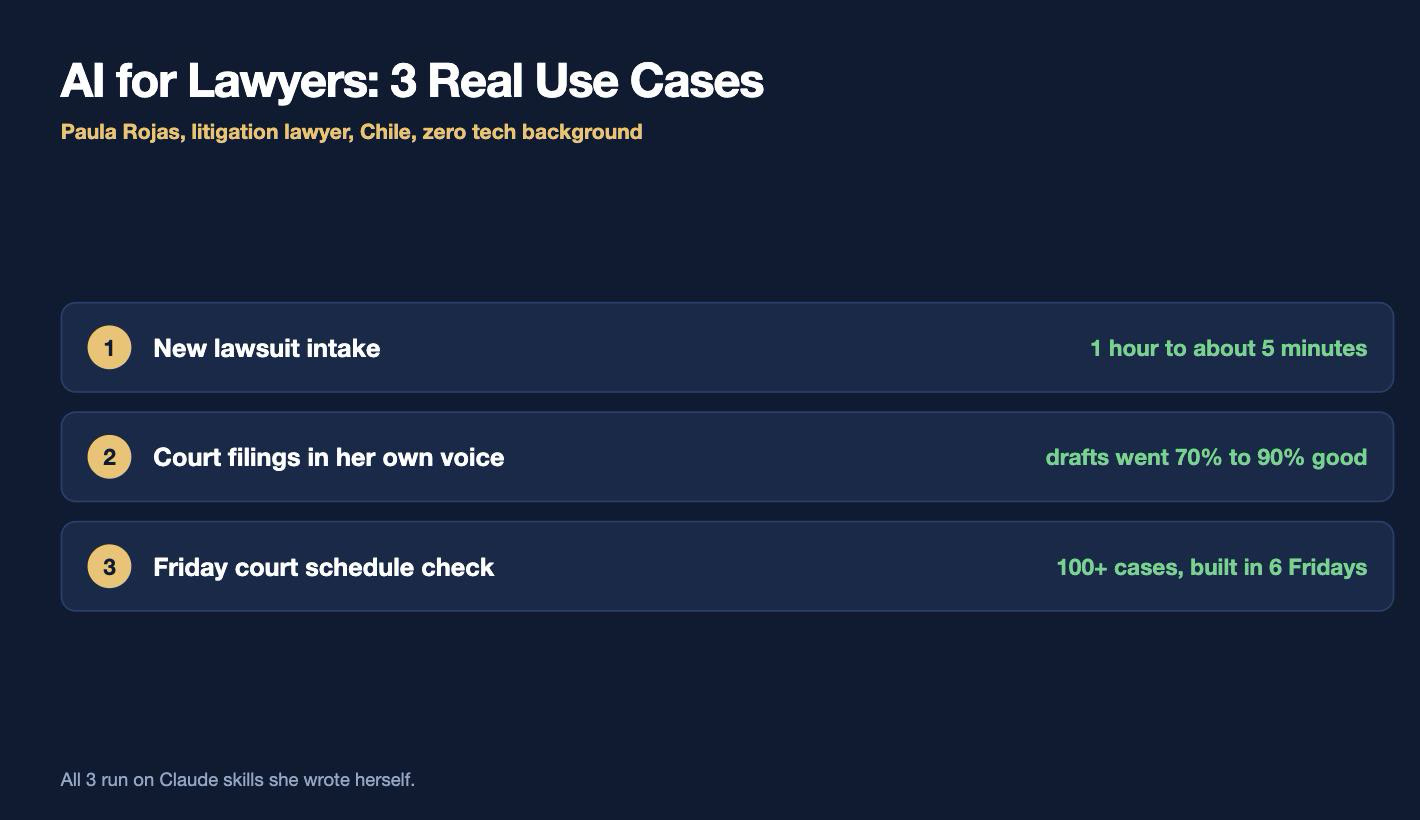
TLDR… a litigation lawyer in Chile with zero tech background built 3 real AI workflows with Claude: a skill that reads a new lawsuit and logs it into Notion, a filing-drafting skill trained on her own legal writing voice, and a Friday court-schedule check that runs on Playwright MCP across 120 cases.
I sat down with Paula Rojas, a litigation lawyer in Chile, and she showed me something I have not seen from any other lawyer.
She built a team of AI agents inside her law firm. She named them. Alfred, Toby, Clara, Alma, Hugo, Mateo, Sofía, Marcela.
She has NO tech background. None.
She learned this on YouTube after coming back from maternity leave.
Who this is for: lawyers drowning in repetitive case work, and any business owner who keeps hearing “AI will replace your team” and wants to see what a REAL operational business workflow looks like instead.
Send this one to a lawyer friend.
They will thank you.
Meet Paula Rojas
Paula Rojas is a partner at Rojas & Cía, a family law firm in Chile. She works with her father and 2 uncles.
Her team defends companies in labor law.
Right now they have about 200 active cases.
She is also president of the board at Casinos Marina del Sol, a large Chilean company.
So how did a lawyer with no coding background end up in Claude Code?
She had her second baby. She came back from maternity leave, and the firm was in a rough spot. People had quit. People were sick. Teams were shifting.
She started working 8am to 8pm, every day.
“If I keep going like this, I’m going to miss all of my babies’ smaller years.”
So she went looking for another way. AI was blowing up right at that moment, and she started teaching herself on YouTube.
She started with ChatGPT, moved to Claude, and now she vibe codes apps. When she pulled one of her tools up on our call, I thought it was a real website until I saw “localhost” in the URL bar.
Her whole approach fits in one line:
If you wait until you’re ready, you’ll never start.
Jump in. If you make a mistake, it’s a mistake. It’s learning.
And now the AI agent team. Paula built it in about 2 weeks.
Alfred is her chief of staff. He triages her email, watches the money flow for the firm, and hands her 2 briefings a day, morning and afternoon. He files newsletters away and only surfaces what needs HER.
Toby keeps notes and memory, so the team stops repeating the same mistakes.
Clara is the case-tracking agent. Court notifications land in Paula’s email automatically, and Clara goes to the court website, looks the case up, and flags anything important.
Alma is the productivity agent. She breaks big projects into small pieces Paula can attack, and she’s connected to Paula’s Notion task database.
Hugo handles family finances, kept separate from the firm’s money.
Mateo is the drafting agent. When Clara spots a deadline, Mateo drafts the filing.
Sofía is the research agent. She pulls case law through Trifolia, a Chilean legal AI connected as an MCP, and feeds it to Mateo.
Marcela handles content for the AI classes Paula teaches to other lawyers.
Litigation is PULL, not PUSH. Clara tells Paula what happened, but Mateo and Sofía only run when Paula asks.
And nobody does anything irreversible alone.
Anything that leaves the building, filing, sending, publishing, paying, needs Paula to approve it.
She said something about this that stuck with me:
“I never thought in a million years I would be working in Claude Code. Never. But I just dared.”
Now let’s go through the 3 use cases she walked me through, live.
1. A New Lawsuit Lands: 1 Hour Down to About 5 Minutes
Here’s the pain.
A client emails the firm: we got sued, help.
Attached is the lawsuit and the judge’s first order, which sets the date of the first hearing. The firm has to answer 5 days BEFORE that hearing.
Now a human has to read all of it. Who’s suing? Why? What are the facts? What are they asking for? How much money is on the table? How bad is the risk?
Then that person types all of it into the firm’s system, sets the calendar deadlines, and files the case.
Time: about 45 minutes to 1 hour. Every single time. With 200 active labor cases.
Paula built a Claude skill for it.
A skill is a set of instructions you write ONCE, so Claude does the same job the same way every time. Think of it as training a new hire, except you only train them once.
Here’s what her skill does when she sets it off:
Reads the lawsuit and the judge’s first order.
Pulls the legal analysis: type of procedure, the court, the case number, who’s suing, which company is being sued, the facts, and the amounts.
Goes to Chile’s official holidays website and counts the deadline, because holidays do NOT count as days.
Writes everything into the firm’s Notion databases, their second brain.
Stops and asks Paula for anything it couldn’t find.
Gives her a list of documents to request from the client, like the employment contract and salary records.
Here’s the skill mid-run. It has both PDFs loaded, and it’s pulling the Chilean holiday calendar to get the deadline right:
The whole thing runs in about 5 minutes. Then a lawyer checks it, which takes another 5 to 10 minutes.
1 hour of manual work, replaced by 5 minutes of AI work plus 5 to 10 minutes of human review.
The deadline math was the hardest part, and I love that she was honest about it.
The count runs BACKWARDS. You start at the hearing date and count 5 days back, skipping holidays. If a holiday falls in the middle, 5 days becomes 6.
That’s where Claude made the most mistakes. She’s still tuning it.
Right now it gets about 9 out of 10 right, and the human check catches the 10th.
Also notice what the skill does when it isn’t sure: it says so.
“If it’s not sure, it’s not going to state anything as a fact.”
Why this is the RIGHT kind of first project
Paula picked labor lawsuits on purpose. They’re all similar to each other, so the pattern was easy to teach.
And her advice for lawyers starting out is the opposite of what most people say.
The standard advice is: pick high impact, low effort.
She pushed back on that.
“When you’re first starting with AI, you need quick wins.
Things that teach you where you’re going to gain practice.”
So start with a few tasks that are easy, even if they’re small. Build confidence. Learn how the system behaves.
THEN go after the big ones!
Her method for finding them: map out every repetitive process in your firm. The stuff you do every day that eats time and adds no value.
Those are your first automations.
Walk away with: A list of your 5 most repetitive weekly tasks, ranked by how boring they are. Start at the top.
Subscribe to my Youtube and hit the “notification” bell
Her client was being evicted, and the court order listed the wrong address. She needed to tell the court.
She gave Claude a short prompt. That’s it.
No long explanation of the case.
It came back with a Word document that had her name, who she represents, the case name, the case number, the correct court number, the formal way Chilean lawyers address a court, and the actual argument.
Here’s the draft it produced, sitting next to Claude’s own notes on what it chose NOT to do:
Read the left side of that screen. Claude flags that it did NOT cite any articles, because it refused to invent one, and asks her which article to add.
That’s the behavior you want. Not confidence. Receipts.
She’s used the same skill for appeals over 20 pages long.
Her drafts used to come back about 70% good.
Now they come back about 90% good.
The 10% she still fixes herself.
How she organizes her files for Claude Cowork
This is the question I get more than any other…
Her answer: mirror folders.
Keep your real client documents in your normal folder, untouched.
Make a SECOND folder just for working with Claude.
Copy the documents over, and as you copy, strip out the sensitive stuff. Names, ID numbers, social security numbers, addresses.
While you’re at it, convert the files to markdown. Markdown is just a plain text format, and Claude reads it faster and cheaper than PDFs.
Write a little map file of the folder, so Claude reads the map first instead of hunting through every document.
That last step saves real money on tokens.
For the actual anonymizing, she uses Adobe on PDFs, or she copies the Word file and deletes the names by hand. Not fancy. It works.
Each case folder also holds a short markdown brief she writes herself: who her client is, which court, the case number, her position, and her strategy.
That’s why her prompts are so short.
The context is already sitting in the folder.
The 2 things that make a skill good
I asked her the key step.
What makes a skill produce something that reads like a formal legal filing instead of AI slop?
She gave me 2 things.
First, teach it how YOU write. She fed Claude a pile of filings she’d already written, in her own voice, and had Opus analyze them. How does she present facts? How does she build arguments? How does she structure an idea?
Second, be obsessive about the details. Down to whether you like a comma or a semicolon. Down to the words you NEVER use.
“This is your judgment that’s going to be written into a skill.”
Then she said the thing that made me sit up.
Lawyers have an unfair advantage at building AI skills, because their entire job is using language to convince someone who has no interest in your problem.
If you can describe exactly what you want, in detail, in plain language… you’re already good at building skills.
That’s a human skill, not a tech skill.
Her workflow for a real filing looks like this:
Point Claude Cowork at the case folder.
Say what kind of filing it is and roughly what her strategy is. “Argue 1, 2, 3, 4. Number 4 matters most because of X.”
Ask for a PLAN first, not a draft. Go back and forth until the plan is right.
If she needs case law, Sofía pulls it through Trifolia, a Chilean legal AI wired in as a connector, WITH links so Paula can verify the case exists.
Only then does she say: okay, now use the skill and write it.
Planning a 20-page appeal took about 5 minutes.
Walk away with: A mirror folder for 1 client, with a map file at the root and a 1-page markdown brief on the case.
3. The Court Schedule Check (Playwright MCP)
This is my favorite one.
In Chile, some cases have to be argued out loud in front of the appeals court or the Supreme Court. The schedule for next week gets posted online Friday at 6pm.
Friday. 6pm.
The exact moment every human on earth wants to close their laptop.
So somebody on Paula’s team spends 40-60 minutes typing more than 100 case numbers into a court website, one at a time, checking whether any of them are on next week’s board.
Low value. High risk. If you miss one, you don’t show up, and you failed your client.
The court system in Chile does NOT like anything automated on their site.
So this one was hard.
Paula built it anyway. It took her 6 weeks, and here’s the funny part: the schedules only go up on Fridays, so she could only work on it on Fridays.
6 Fridays.
Here’s how she got it working, and this is the part any beginner can copy:
She dictated the manual process, step by step. She described exactly how a human finds one case. Every click. Every field. In detail.
She let Claude look at the site. She gave it permission to open Chrome and explore the court website until it understood the layout.
She had it test on a few cases first, not 120.
Then she scaled up, and it broke. It kept crashing. The court website kept kicking it out.
She added Playwright MCP. She’d heard someone mention Playwright on TikTok and figured she’d give it a shot.
Playwright MCP is a connector that lets Claude drive a real browser the way a person does. Click, type, wait, scroll.
That fixed it.
“It actually mimicked how a human would be clicking and writing. That worked really well.”
Now she hits one button on a small dashboard she built, and Claude works through the case list, which lives in a Google Sheet.
Notice the URL: localhost.
She vibe coded that.
For each case it reports which court, which day, and the position on the board. In Chile you also need to know WHO is in charge of your case, because being on the board doesn’t guarantee your case gets heard that day.
Results so far: no mistakes.
And it once found a scheduled hearing the MANUAL check missed.
She still runs the human check alongside it.
It’s too critical not to.
That’s the pattern I want you to internalize: automate the tedious part, keep the human strategy and human check, and let AI catch what the human misses.
AI hallucinations
Chile has already had about 5 known cases of lawyers filing documents with AI hallucinations in them.
I asked Paula for her take, because she teaches this to other lawyers.
“The more you trust an AI tool, the more tempted you are to stop using your own criteria.”
Her rule is simple, and it isn’t new.
If your signature goes on the paper, you’re responsible for every word on it. If you don’t understand it, or you haven’t checked it, you don’t submit it.
That was ALWAYS true. When a junior lawyer handed you a draft, it went out with your name on it, so you read it.
AI changes nothing about that.
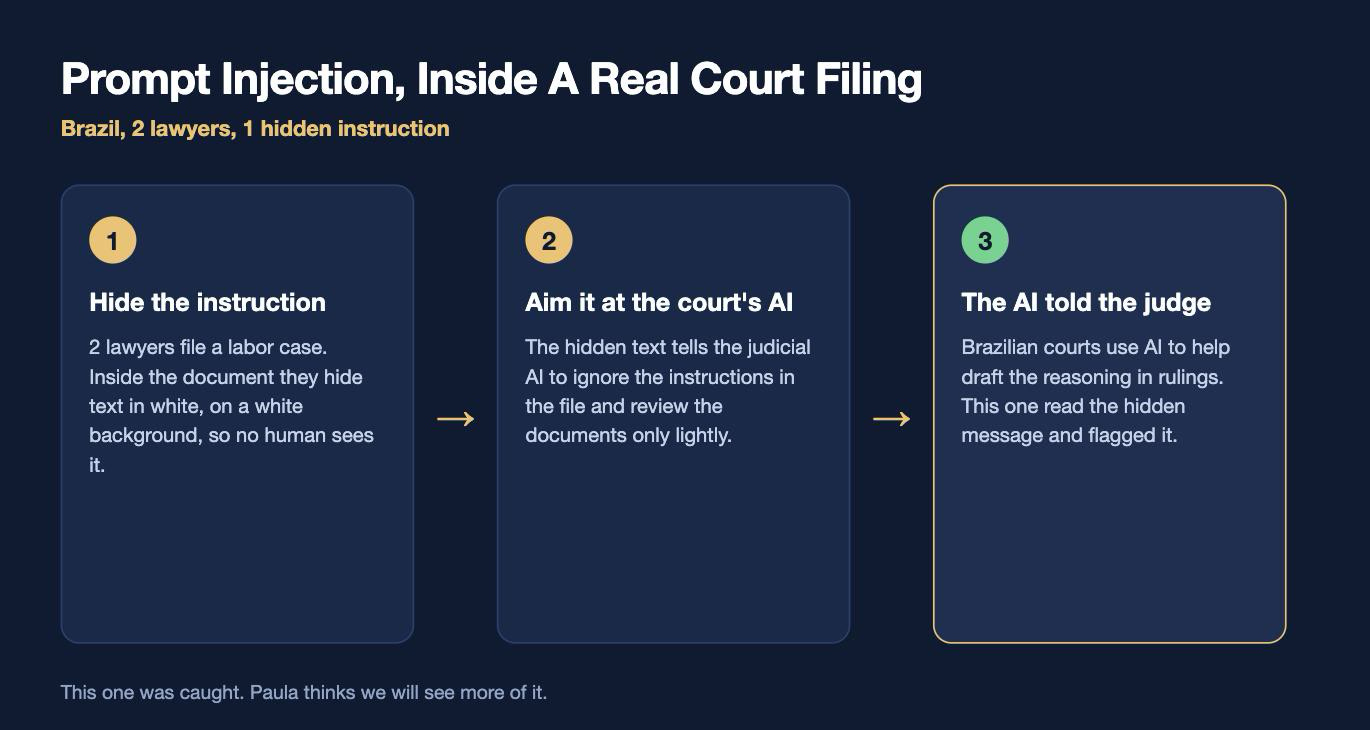
Then she told me about Brazil, and my jaw dropped.
Brazilian courts use AI to help judges draft the reasoning sections of rulings. So a couple of lawyers filed a labor case with hidden instructions inside the document. White text on a white background, aimed at the judicial AI, telling it to ignore the other side’s arguments and review the file lightly.
That’s prompt injection. In a court filing. On purpose.
The good news: AI flagged the hidden message to the judge.
This wasn’t a mistake.
It was malicious.
And we’re going to see more of it.
She wants courts to build protection BEFORE the damage, not just punishments after.
But she doesn’t want any of this to scare lawyers away from AI.
Chile has roughly 1.2 million civil cases sitting open, undecided. About 700,000 new ones started in 2025. Only about 100,000 closed.
A huge chunk are cases that are nearly identical to each other, with a standard process.
If people want justice done faster, AI is a huge help.
Fear should not get in the way of that.
What She’s NOT Doing
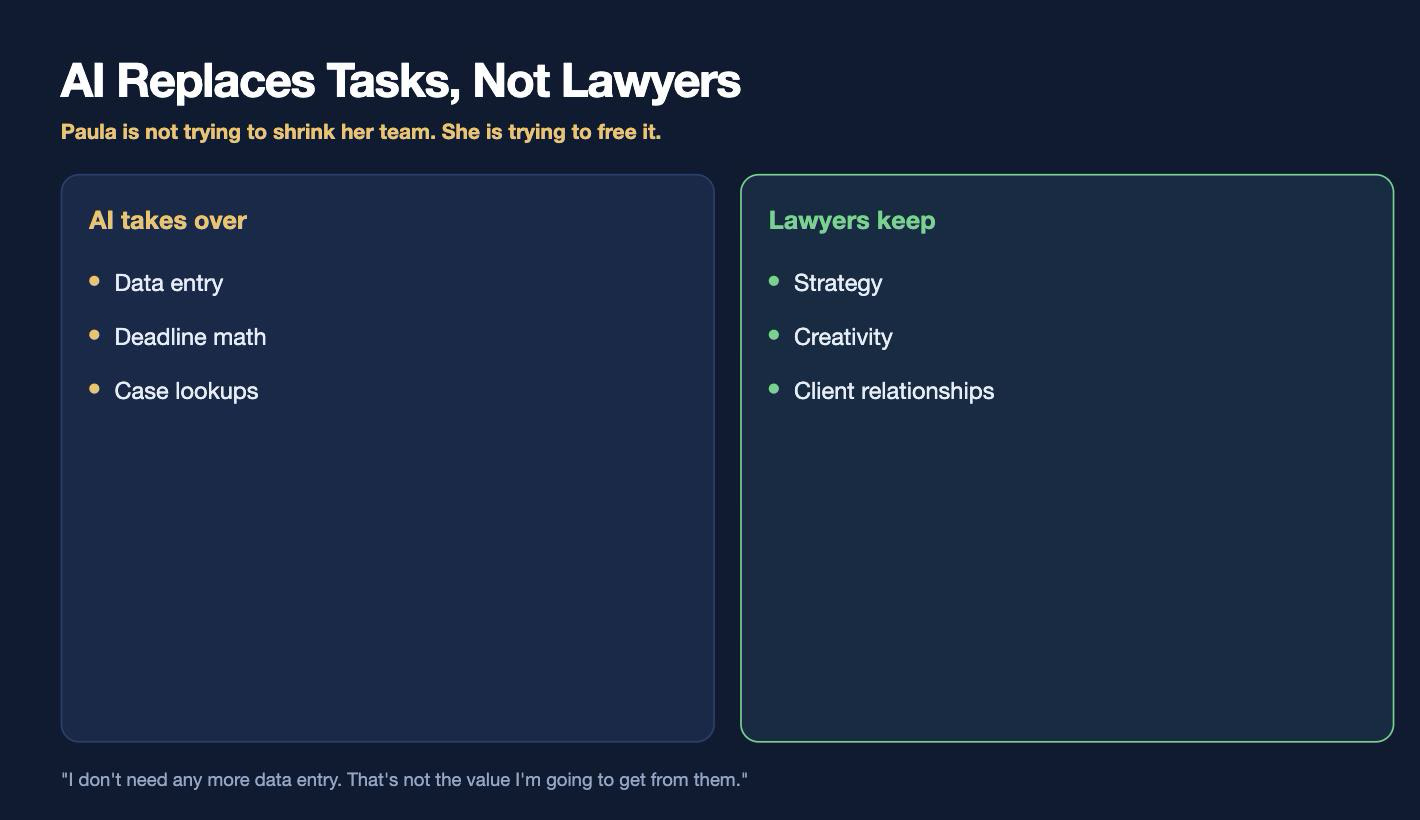
I asked whether the goal was to shrink the team.
Her answer was immediate.
No.
She hired most of those people herself.
She loves working with them.
“I don’t need any more data entry.
That’s not the value I’m going to get from them.”
What she wants is time. Time for her lawyers to be lawyers. To think strategically, to find the one case that wins the argument, to build client relationships.
This is exactly what I tell business owners.
Stop trying to replace a whole department. That’s really hard, and mostly it doesn’t work.
Instead find the 30-minute task you do 5 times a week, and get it to 5 minutes with a human check on top.
Stack enough of those and it changes the whole company.
RECAP
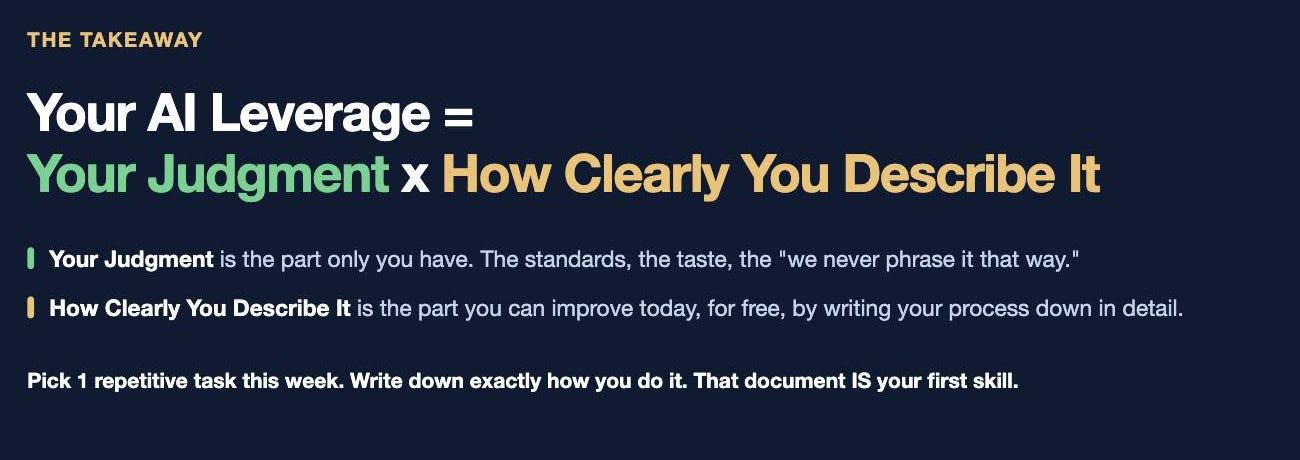
Your AI Leverage = Your Judgment x How Clearly You Describe It
Your Judgment is the part only you have. The strategy, the standards, knowing what to focus on vs ignore.
How Clearly You Describe It is the part you can improve today, for free, by writing your process down in detail.
Here’s what Paula proved:
Zero tech background is not a blocker. She learned on YouTube, on Fridays, with 2 kids at home.
Start with the boring, repetitive, low-risk stuff. Quick wins teach you the system.
Skills beat prompts. Write the instructions once so the output is the same every time.
Feed it YOUR past work. That’s how a draft goes from 70% to 90%.
Organize the folder before you blame the AI. Mirror folders, stripped names, markdown, plus a map file.
Keep the human check on anything critical. Hers caught a mistake. And the machine caught one the humans missed.
Your signature, your responsibility. That rule existed long before AI.
The tools took her 6 weeks of Fridays.
Meanwhile, the judgment spans her entire career.
Pick 1 repetitive task this week.
Write down exactly how you do it, every step.
That document IS your first skill.
FAQ
Do I need to know how to code to build this?
No. Paula has zero tech background and learned on YouTube. She describes what she wants in plain language and asks the AI to teach her the rest.
What is a Claude skill?
A set of instructions you write once so Claude performs the same task the same way every time. Paula has one for processing new lawsuits and one for drafting court filings.
How do I keep client data private when using AI?
Use mirror folders. Keep originals in your normal folder, copy documents into a separate working folder, and strip names, ID numbers, and addresses as you copy. Paula uses Adobe for PDFs and manual edits for Word files.
What is Playwright MCP and why did she need it?
Playwright MCP is a connector that lets Claude control a real web browser like a person does, clicking and typing. Paula’s court website kept blocking her automation until she added it.
How much time does the lawsuit intake skill actually save?
The manual process took 45 minutes to 1 hour. The skill runs in about 5 minutes, plus 5 to 10 minutes of lawyer review. It gets about 9 out of 10 deadline calculations right, so the human check matters.
Is it safe to file AI-drafted documents with a court?
Only if you read and verify every word first. Chile has already seen about 5 cases of lawyers filing hallucinated content. If your signature is on it, you own it.
Aha! I really appreciate this article. As a former City of London solicitor, now retired, I would have loved to have set up a scheme like this when I was still in practice. Still, I did a similar thing and built a team of agents to help me write, research, and market my self-published historical thriller, The Stars of Samarkand.
Here's a link where I explained the genesis of the team and how they assist me with the project: https://samarkandstars.substack.com/p/build-your-own-ai-team. You'll see that I actually directed people to your site for more detailed info on how to use AI.
So it all comes round in a nice, virtuous circle. Bravo to Ms Rojas, and bravo to you for teaching us all so much about AI. Thanks very much.
The lawfull4us.com is dedicated to help immigrants in the USA, it have a collection of procedures and regulations based on current laws and legislation. I help pro-bono attorney and perse clients




Aha! I really appreciate this article. As a former City of London solicitor, now retired, I would have loved to have set up a scheme like this when I was still in practice. Still, I did a similar thing and built a team of agents to help me write, research, and market my self-published historical thriller, The Stars of Samarkand.
Here's a link where I explained the genesis of the team and how they assist me with the project: https://samarkandstars.substack.com/p/build-your-own-ai-team. You'll see that I actually directed people to your site for more detailed info on how to use AI.
So it all comes round in a nice, virtuous circle. Bravo to Ms Rojas, and bravo to you for teaching us all so much about AI. Thanks very much.
The lawfull4us.com is dedicated to help immigrants in the USA, it have a collection of procedures and regulations based on current laws and legislation. I help pro-bono attorney and perse clients