

TLDR… learn the 5 stages of AI mastery, starting with a simple question and building up to your first AI agent.
If you just use AI as a faster google, it’s time to level up!
I’ll walk you from asking AI simple things to an autonomous AI agent that analyzes data, connects to your tools, and prepares a detailed weekly report.
But first…
Let’s practice asking, thinking, and teaching AI in a normal chat.
The 5 stages of AI mastery
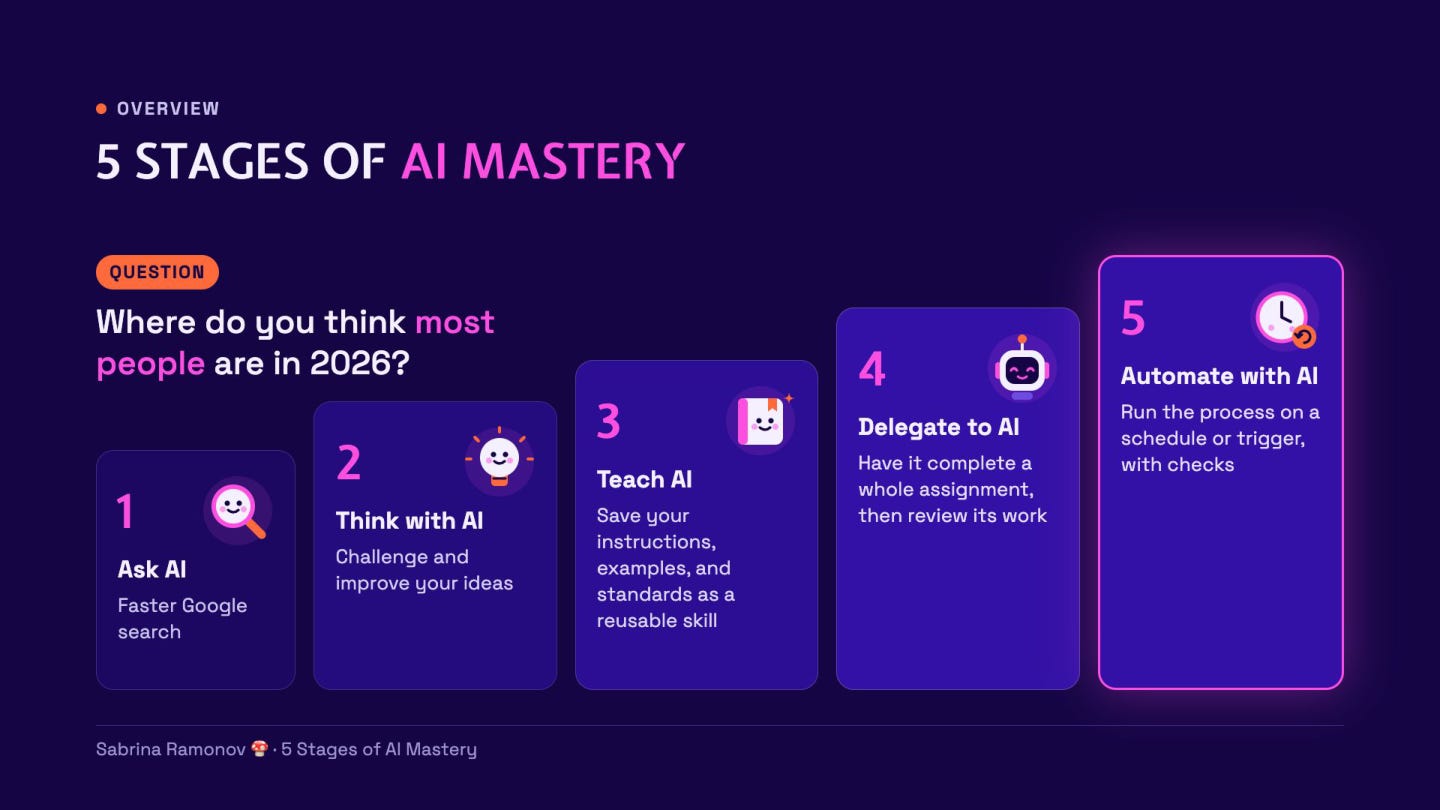
Ask AI: Get an answer.
Think with AI: Find gaps in your ideas.
Teach AI: Show it how you like work done.
Delegate to AI: Give it a meaningful assignment.
Automate with AI: Have it repeat the work on a schedule.
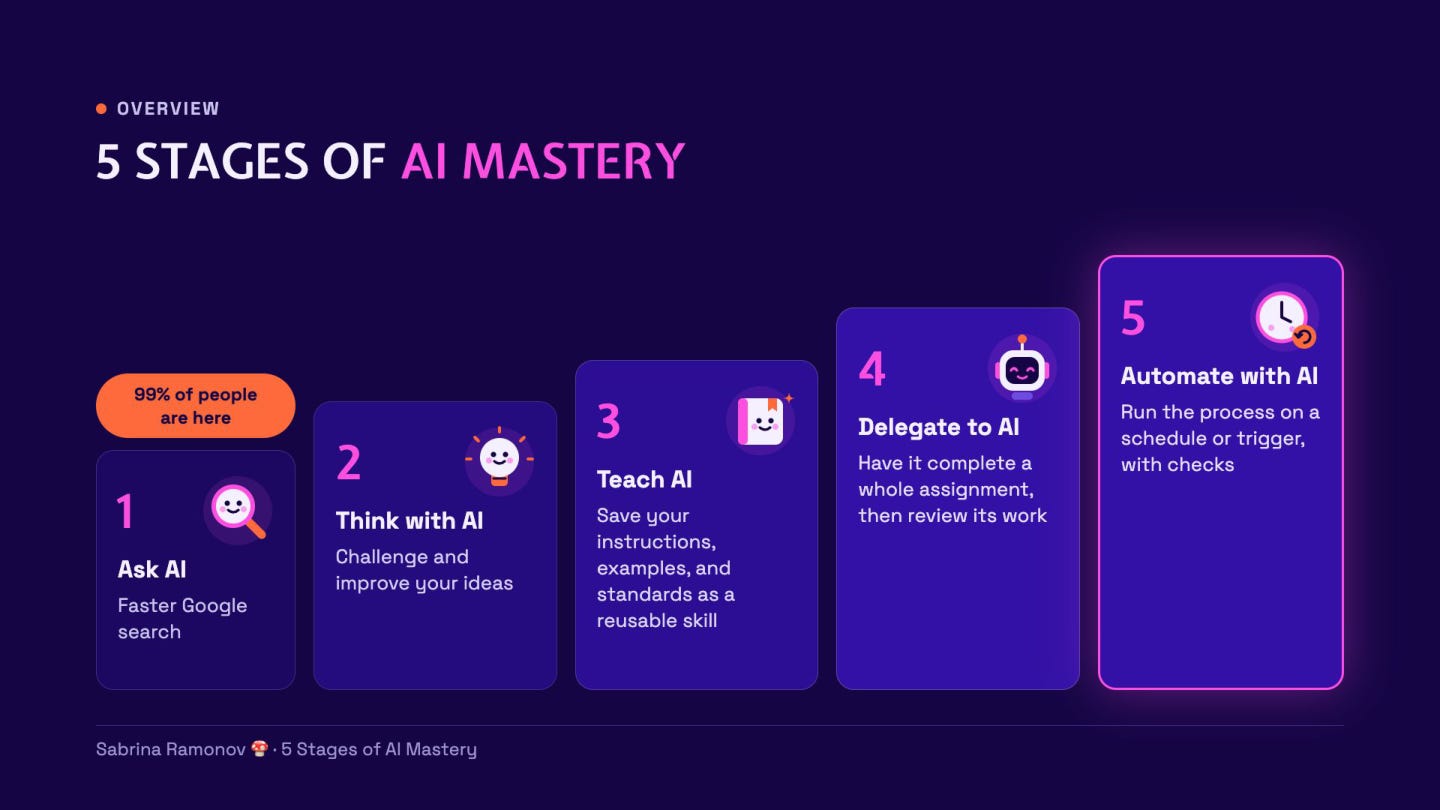
Yes, 99% of people are still in stage 1, so don’t feel bad!
Crazy stat for you:
PNC Bank analyzed its US customer base and found:
98% of US households (who are customers of PNC Bank) still aren’t paying for AI in 2026. (PNC Research July 2026)
Here’s how these stages map to a real-world example, like analyzing company data to prepare a leadership report:
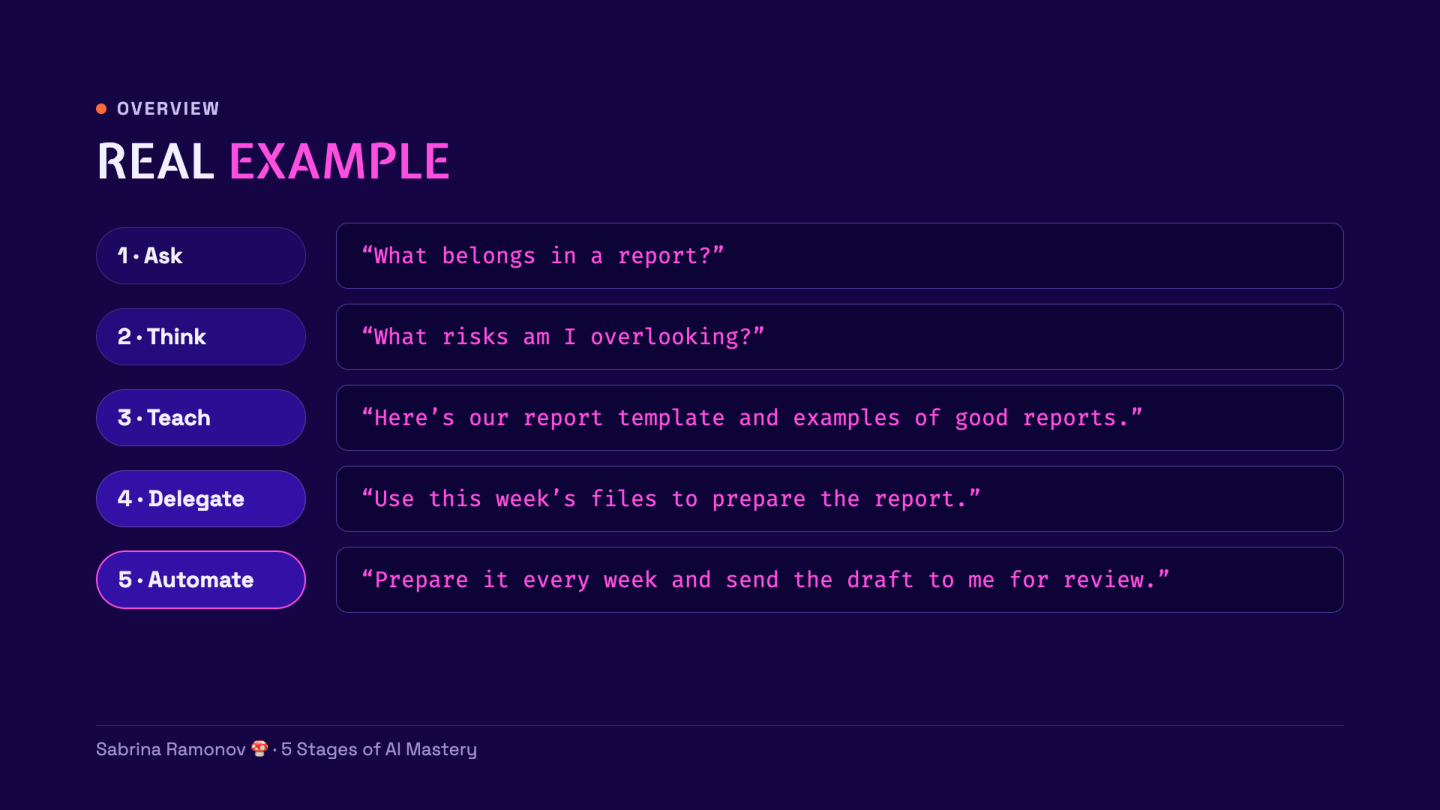
btw we’ll actually do this in Stage 4 :)
For now, open a normal chat in Claude or ChatGPT.
1. Ask AI: start with a simple question
The Ask AI stage is the most familiar: you ask, AI answers.
A prompt is the message you type to AI.
You can ask what something means, how to do a task, or how to split a bill.
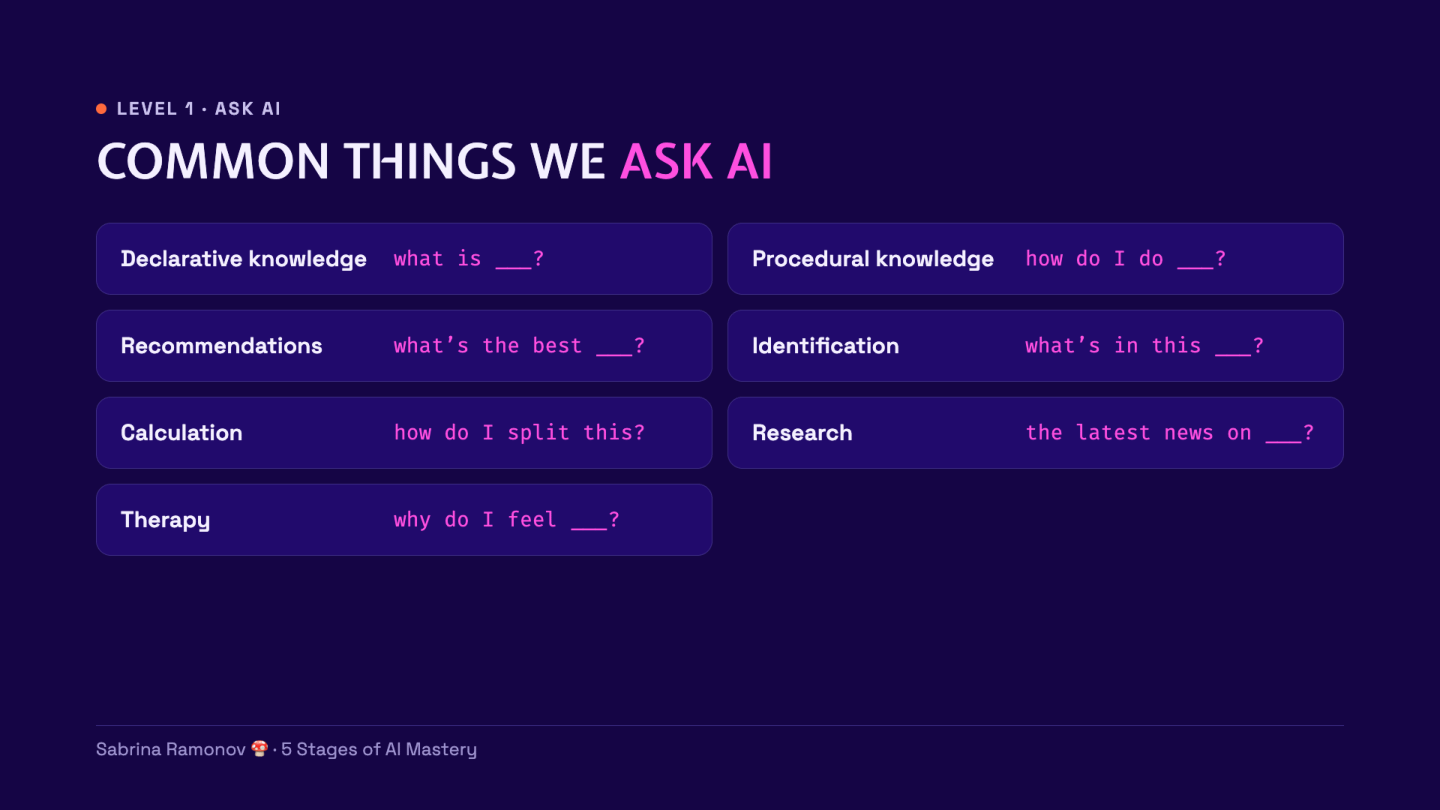
But, AI’s answer can radically change when you specify what kind of help you want.
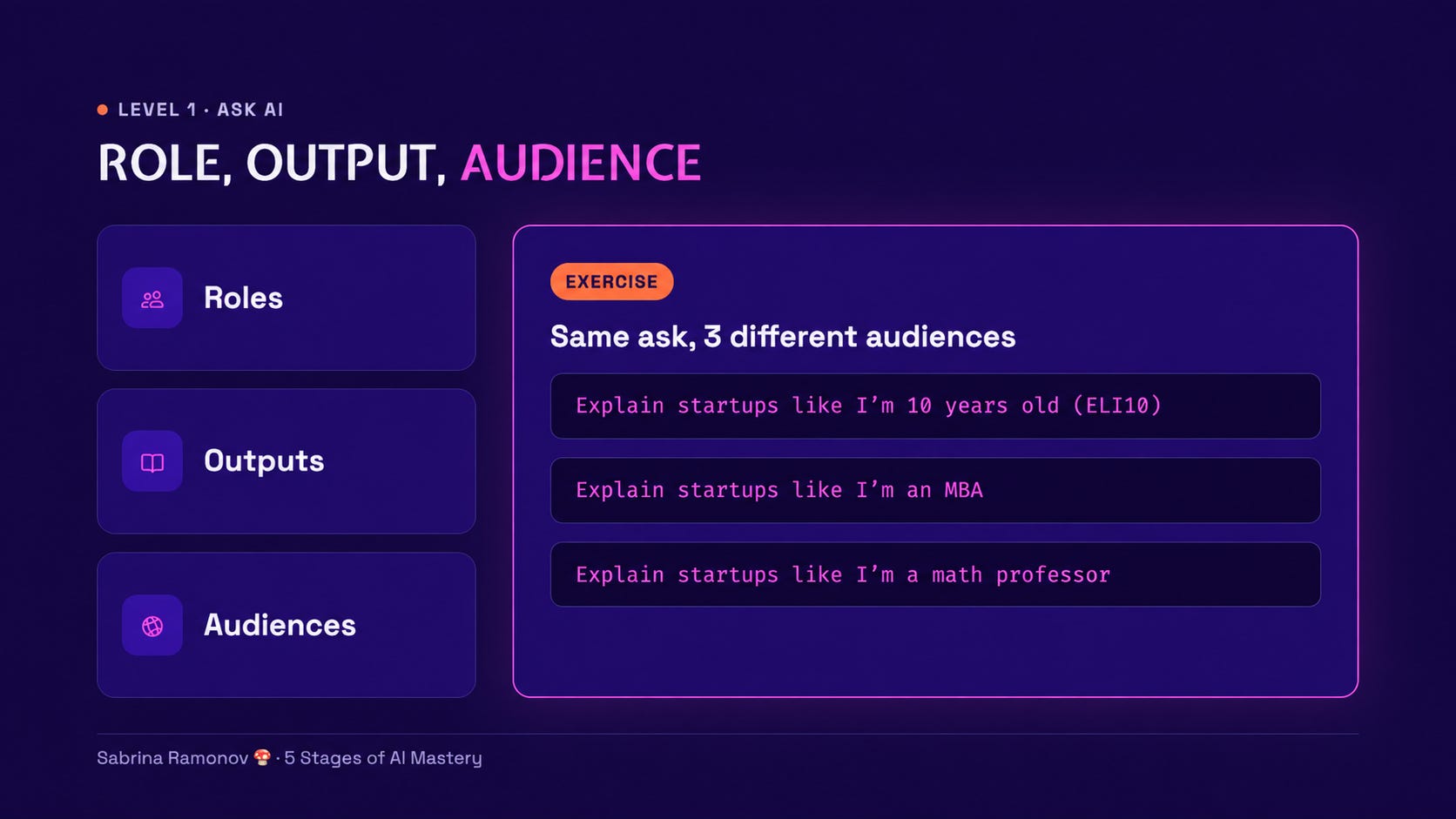
Try mixing up these 3 details:
Role: Who should AI act as? For example, a patient teacher.
Output: What should it make? For example, a structured table.
Audience: Who is it for? For example, someone new to the topic.
Try it: change the audience
Send each prompt on its own:
Explain startups like I’m 10 years old.
Explain startups like I’m an MBA.
Explain startups like I’m a math professor.
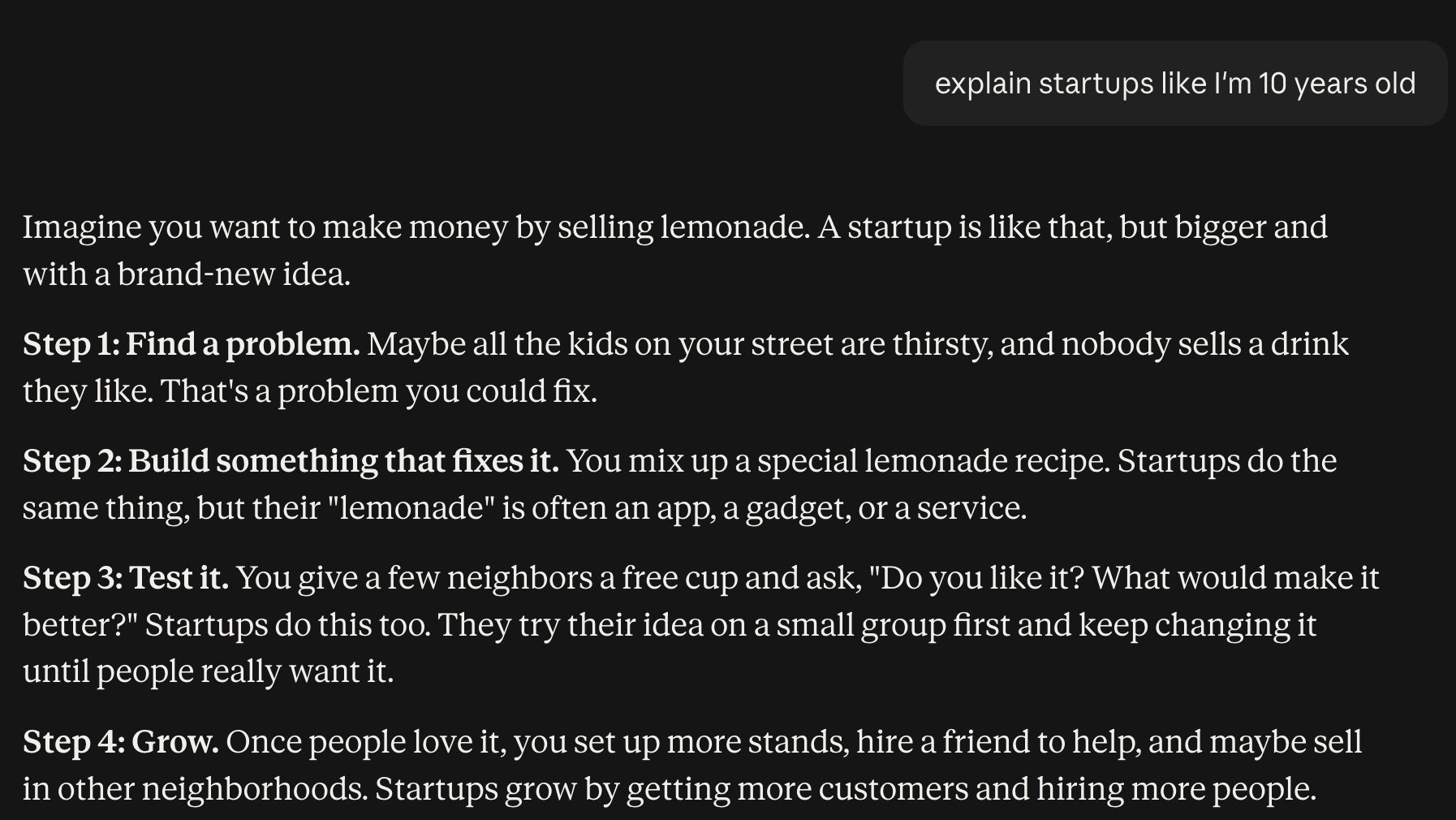
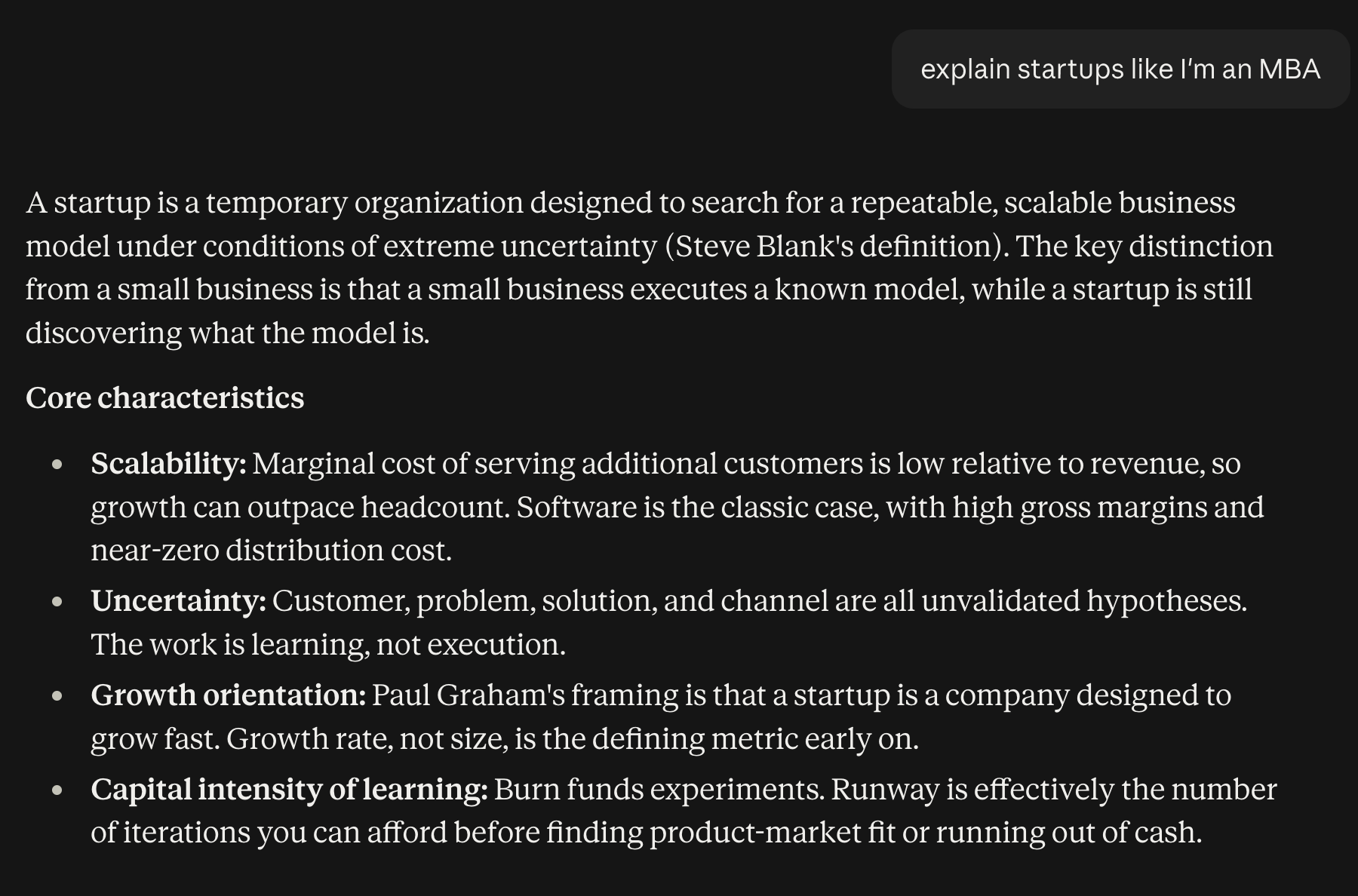
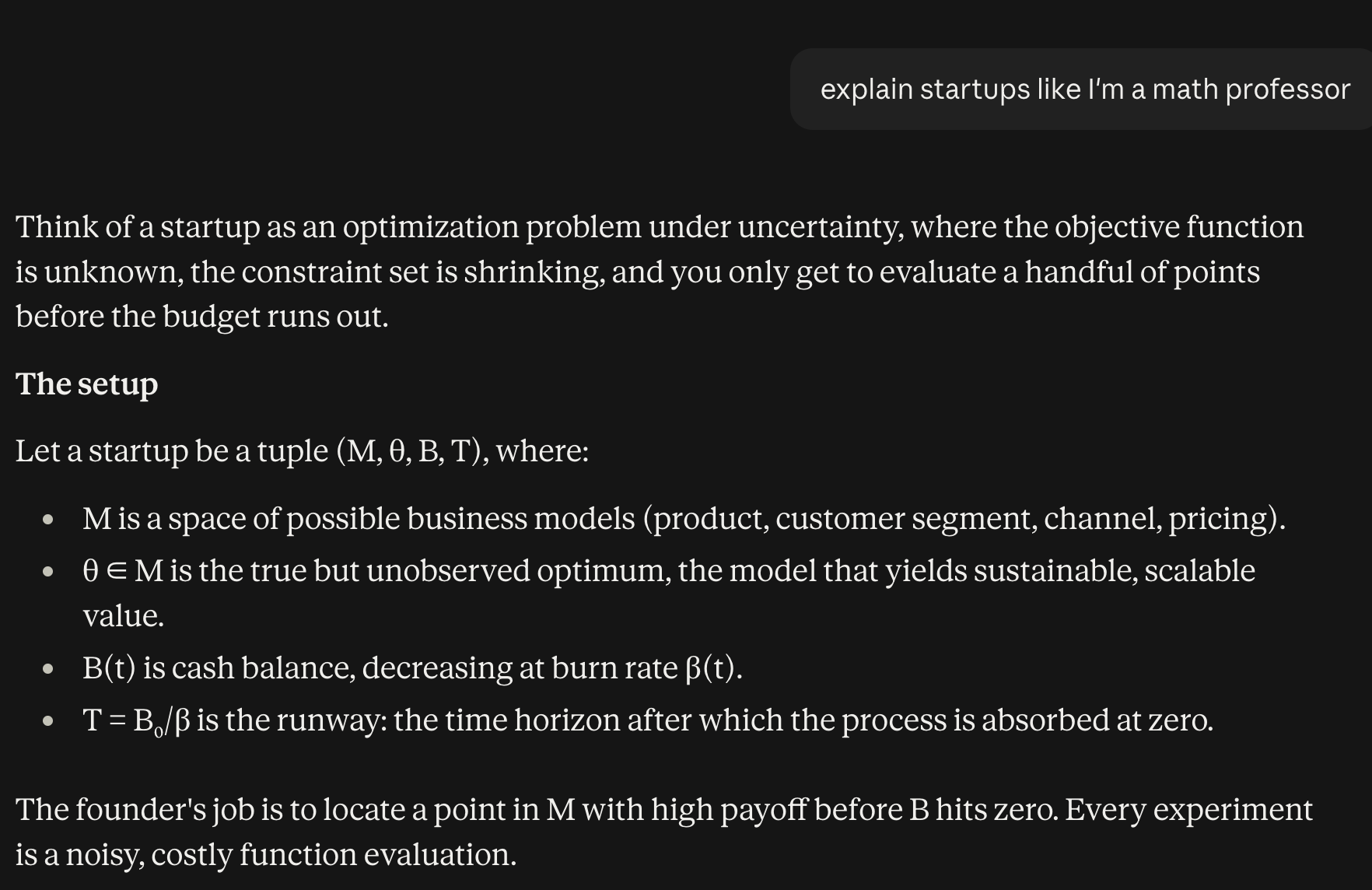
Compare the words, examples, and level of detail in the 3 answers.
Fundamentally similar concepts, yet totally different AI answers!
If an answer feels generic, tell AI who it’s for.
Check:
☐ You tried the 3 prompts
☐ You can spot how the answers changed
Now you can shape AI answers, but what if your own idea has flaws?
2. Think with AI: challenge your ideas
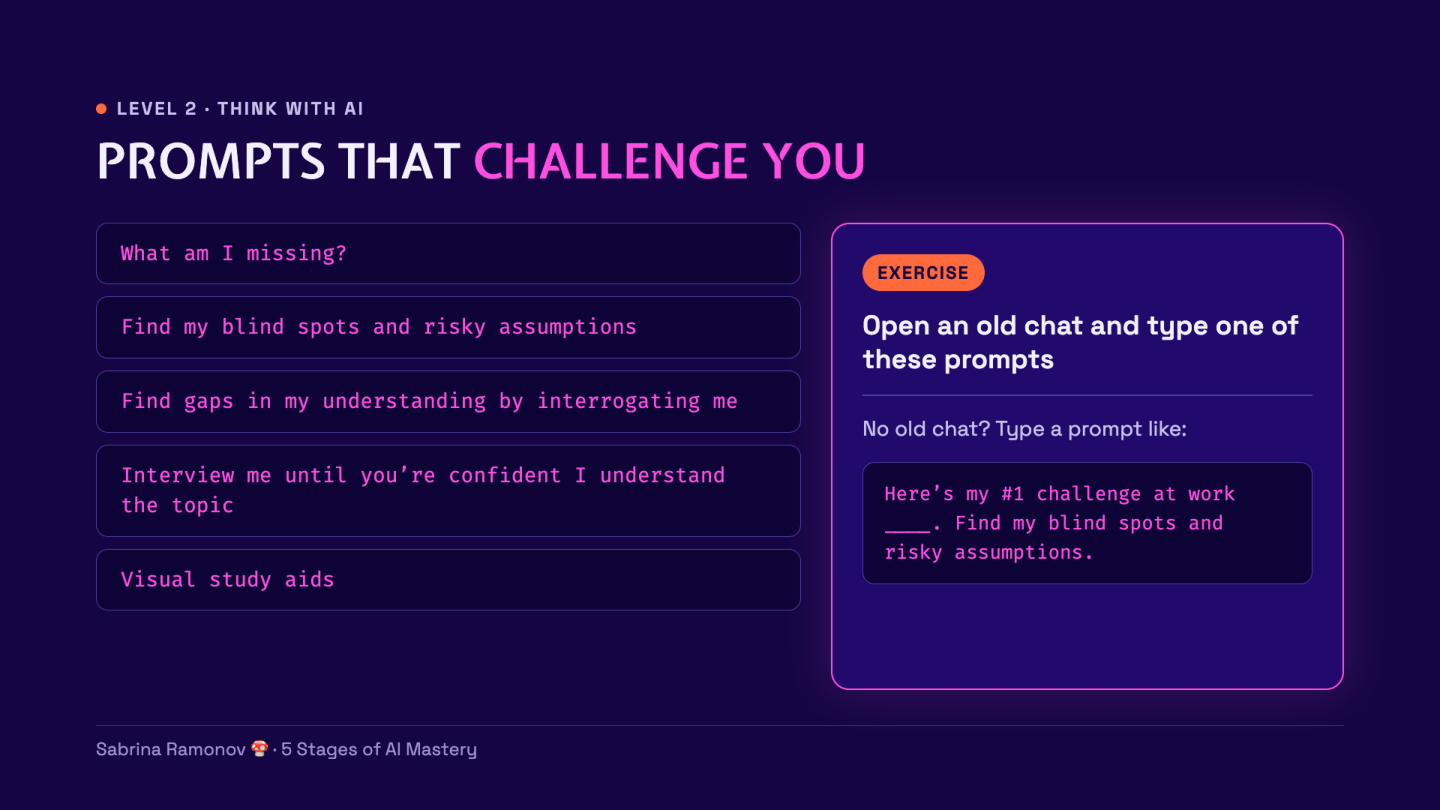
The Think with AI stage helps you find what you missed.
Use AI as your SPARRING PARTNER, pushing back on your ideas.
To sharpens your thinking.
To find your blind spots, riskiest assumptions, and the legitimate concerns you’re subconsciously avoiding :D

Try it: find a blind spot
Open an old chat where you were discussing a plan or problem.
Send this prompt:
Find my blind spots and risky assumptions.
If you don’t have an old chat, fill in the blank:
Here’s my #1 challenge at work: ____.
Find my blind spots and risky assumptions.
Read the reply and choose 1 point worth checking.
Ask AI to explain its reason if the point is unclear.
For example, you might plan to post more content to get more customers. But is that really the best approach for you?
AI could ask whether your current posts reach the right people.
That gives you something to test before cranking up volume.
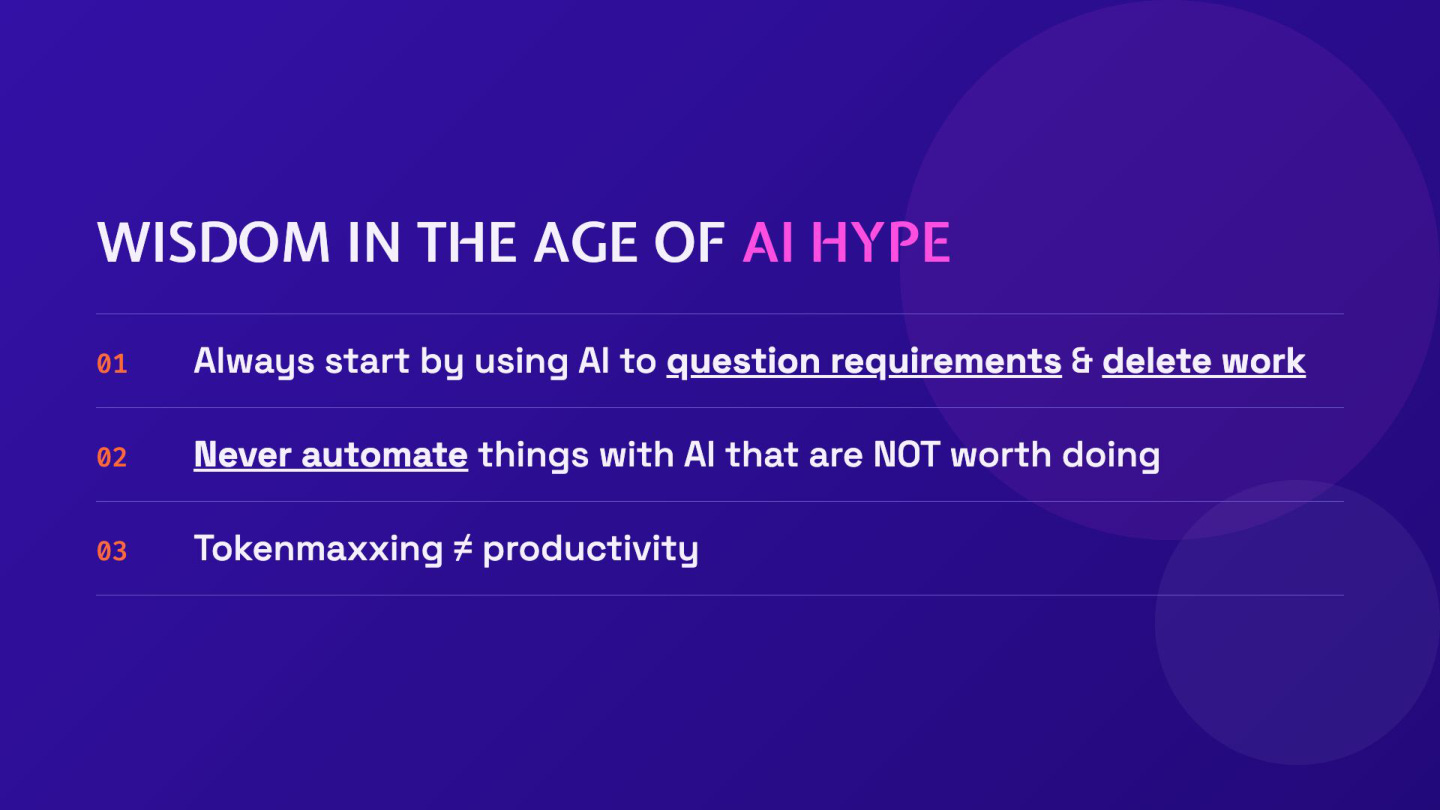
Question the work itself
Before speeding up a task, ask whether it needs to exist.
DELETING work is far superior to automating work!
Try this in your chat:
Which parts of this work can I remove without hurting my goal?
Check:
☐ You found 1 assumption to test
☐ You questioned whether every task is needed
Once you’ve prioritized work worth doing, AI needs to learn your preferences and standards.
3. Teach AI: make 1 reusable skill
The Teach AI stage shows AI what “good” work looks like to you.
Think of hiring a new person...
What would they need before you trusted them with a task?
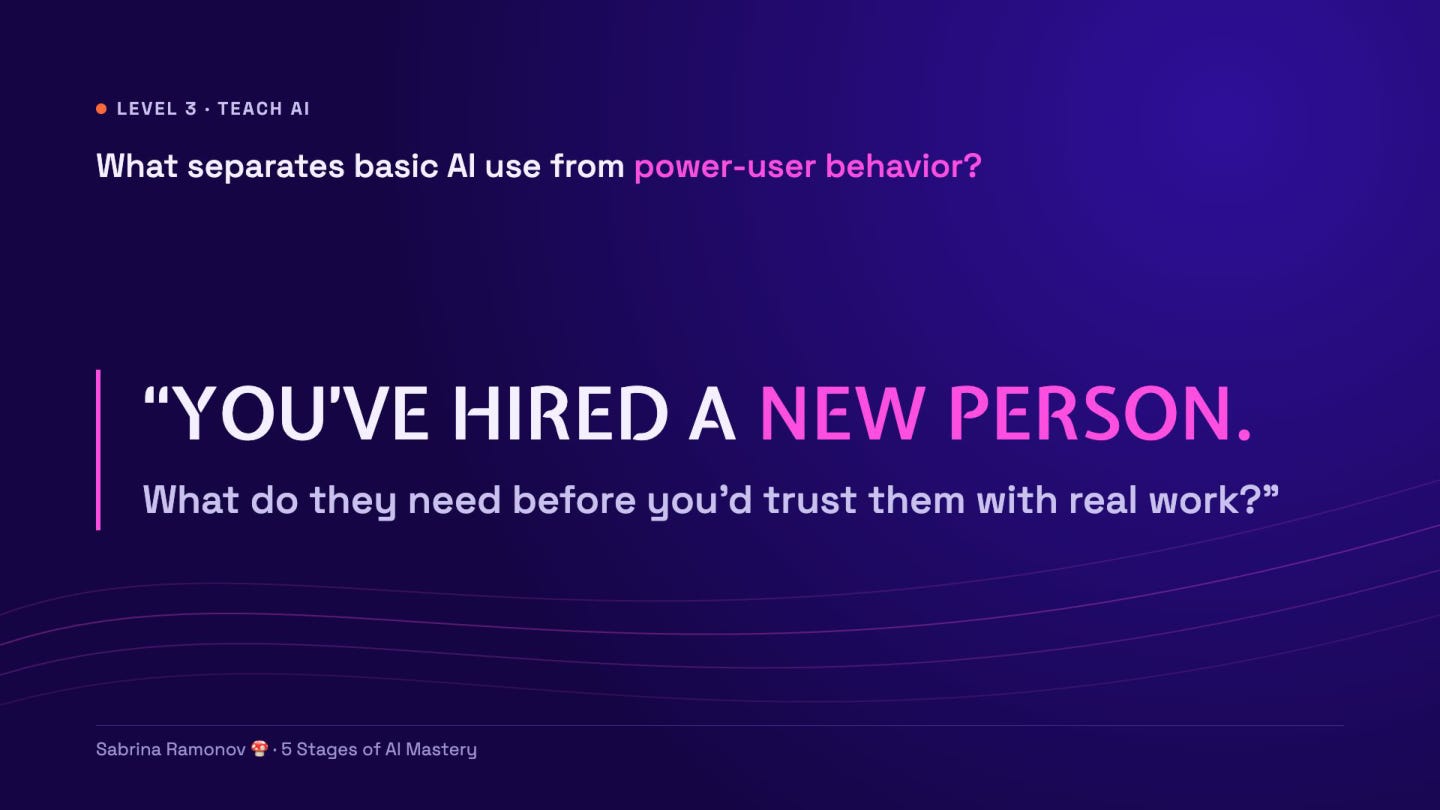
I’d give them the goal, useful context, and an example.
Then I’d review their first attempts and give feedback.
AI needs that same kind of guidance!
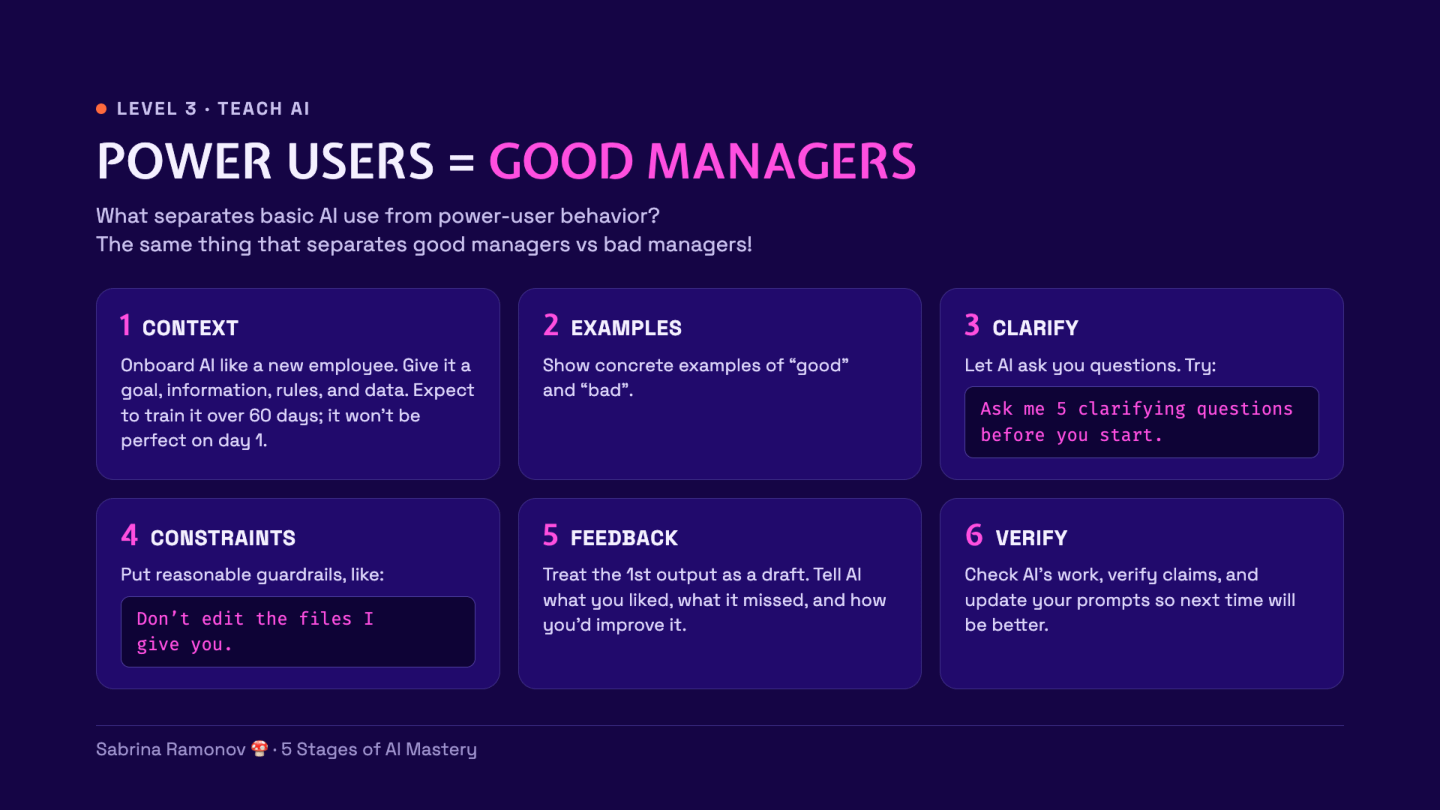
Context: Give it the facts it needs.
Examples: Show what good and bad work look like.
Clarify: Let it ask questions before it starts.
Constraints: Set limits, such as a word count.
Feedback: Say what to keep and what to change.
Verify: Check the result before using it.
Day 1 AI is not perfect, just like a new hire isn’t perfect.
It takes time to teach a new hire all your quirks and ways of doing things. Same with AI, so invest a little bit of time every day “training AI” by giving it context & feedback how to improve.
Start with a small writing task
Pick something you write often, such as a social post or email.
I’ll use a LinkedIn post from my walkthrough.
Open a new Claude, ChatGPT, or Gemini chat.
(It doesn’t matter which AI tool honestly)
Here’s the prompt template we’ll use:
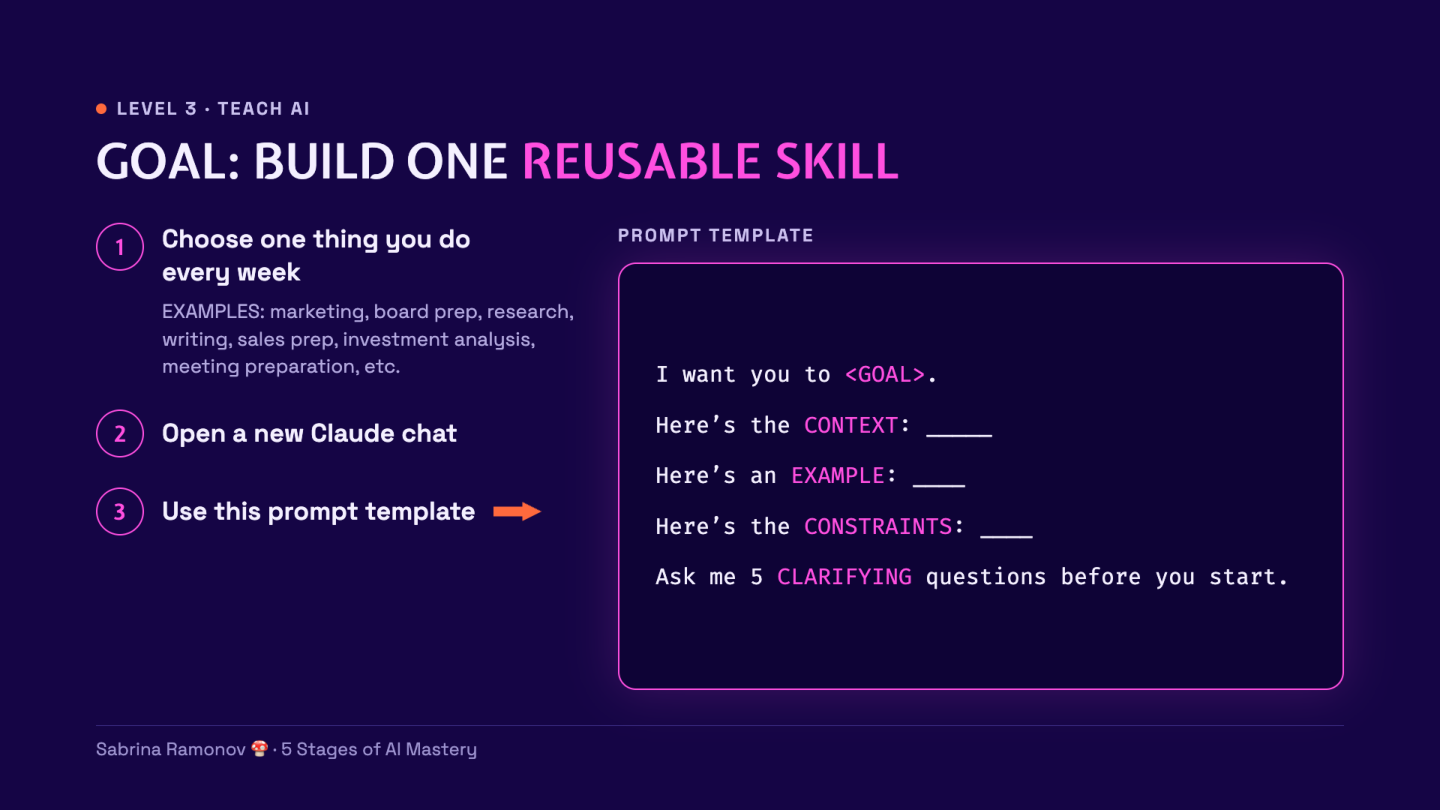
I want you to <GOAL>.
Here’s the CONTEXT: _____.
Here’s an EXAMPLE: ____.
Here’s the CONSTRAINTS: ____.
Ask me 5 CLARIFYING questions before you start.
Clarifying questions help AI check what you mean.
Here is my filled-in example from the slides:
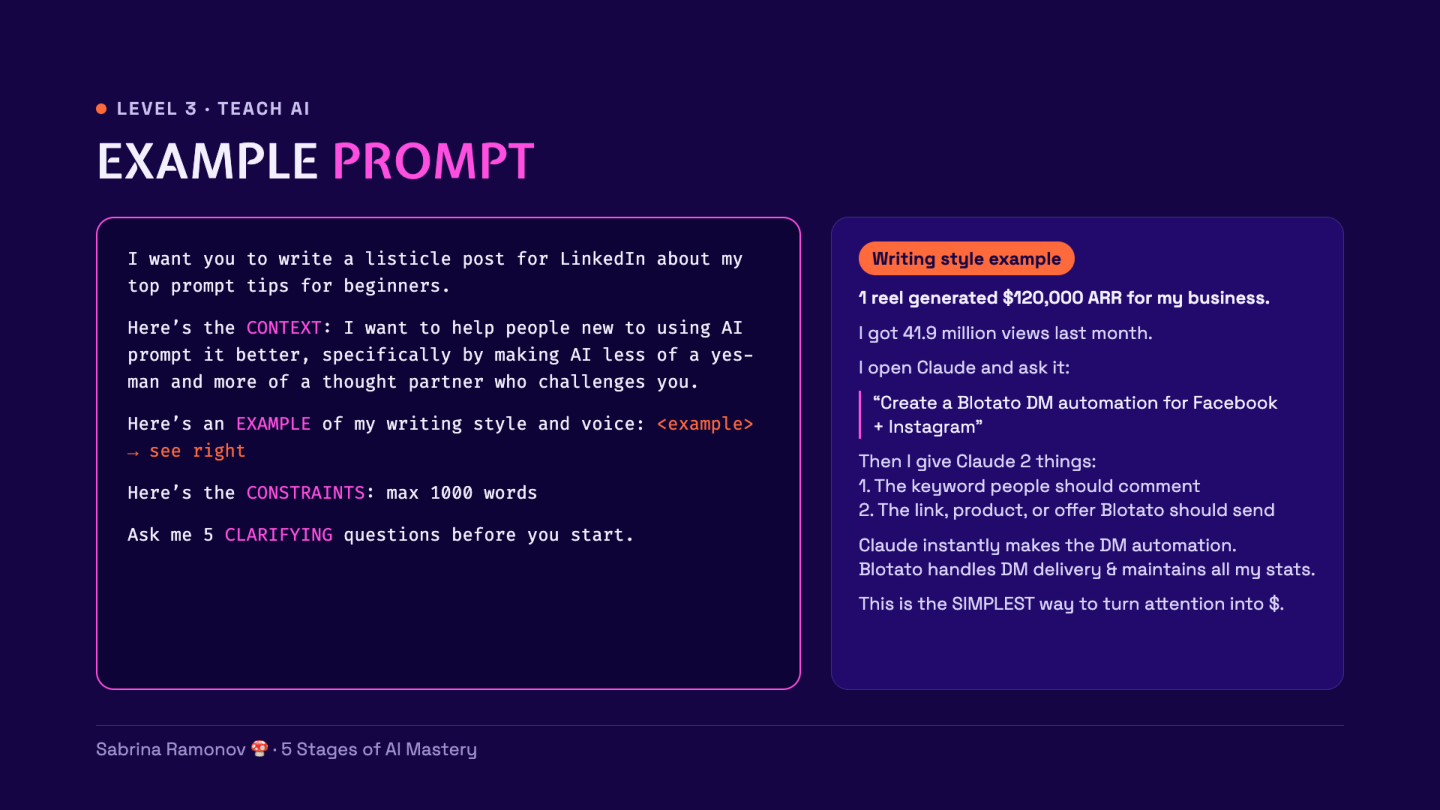
A listicle is a post built around a list of tips.
To try it, paste this prompt and replace the bracketed part with your own writing:
I want you to write a listicle post for LinkedIn about my top prompt tips for beginners.
Here’s the CONTEXT: I want to help people new to AI use it as a thought partner that challenges them.
Here’s an EXAMPLE of writing style and voice: [paste a short post you wrote or a post you like].
Here’s the CONSTRAINTS: Max 1,000 words. Don’t invent personal stories or results.
Ask me 5 CLARIFYING questions before you start.
Answer AI’s questions to you, then read its draft.
Improve the draft, then save the rules
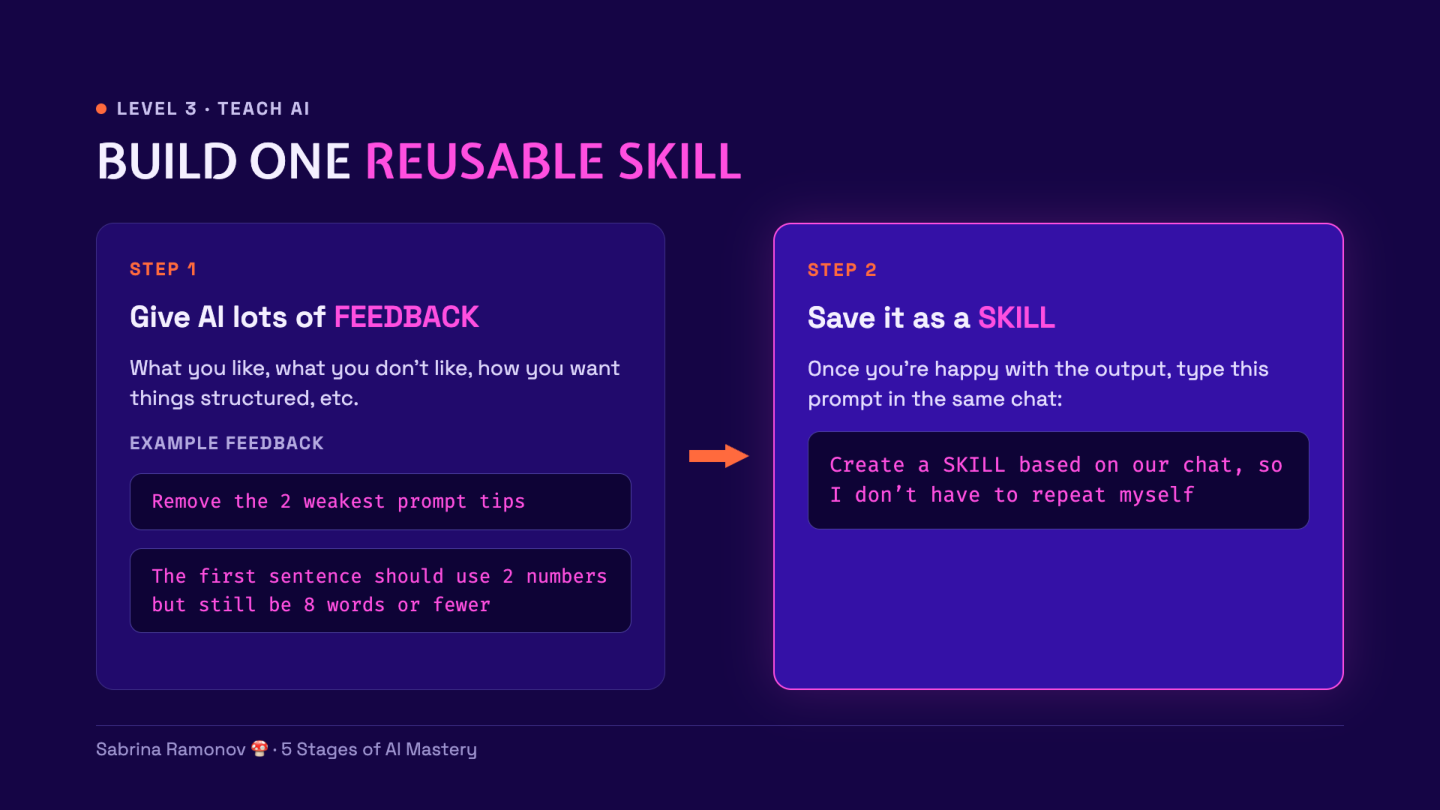
Tell AI what you like and what you want changed.
For example, here’s my feedback:
Remove the 2 weakest prompt tips.
Make each tip easier for a beginner to try.
This is really important…
→ Keep giving feedback until you like the post!
Then send this in the SAME chat:
Create a SKILL based on our chat, so I don’t have to repeat myself.
A skill is a saved set of instructions AI can use again.
Click “Save skill” on the skill card:
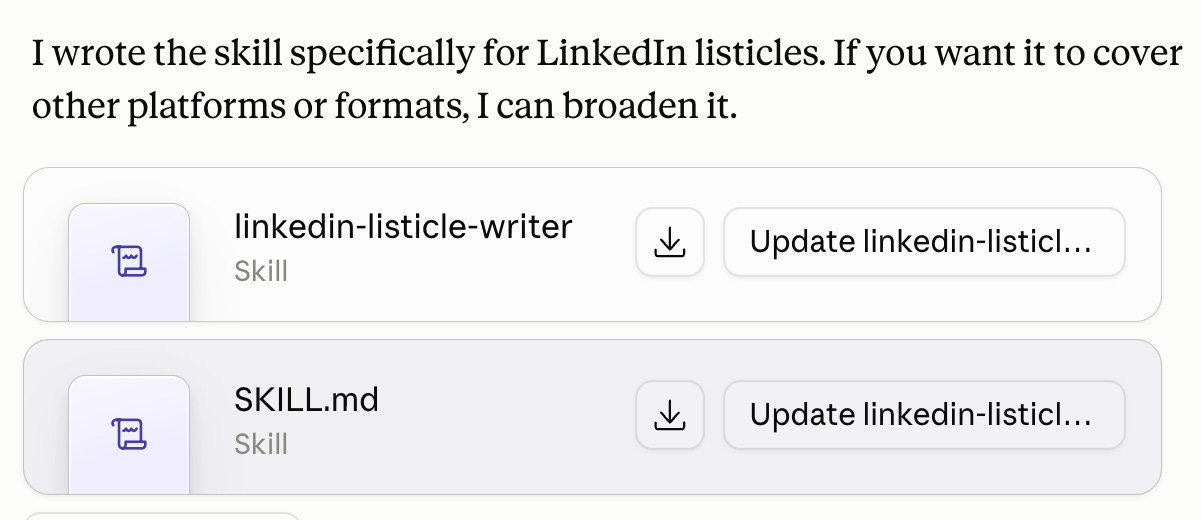
This works in Claude Cowork, Claude Code, and ChatGPT Codex.
If you can’t create a skill, check “Settings” → “Capabilities” for “Code execution and file creation.” For example, here’s Claude’s skills guide explains the settings.
To try your saved skill, open a new chat and send:
Use my linkedin-writing skill to draft a post about [your topic].
Ask me for any facts you need.
Check that AI kept your style and rules.
If it missed something, give feedback, then ask AI to update the skill! It’s all about - continuous, consistent feedback.
Done:
☐ Draft improved
☐ Writing skill saved
☐ Skill tried in a new chat
From yapping to DOING!
You’ve now asked AI questions, made AI challenge your ideas, and taught AI your standards.
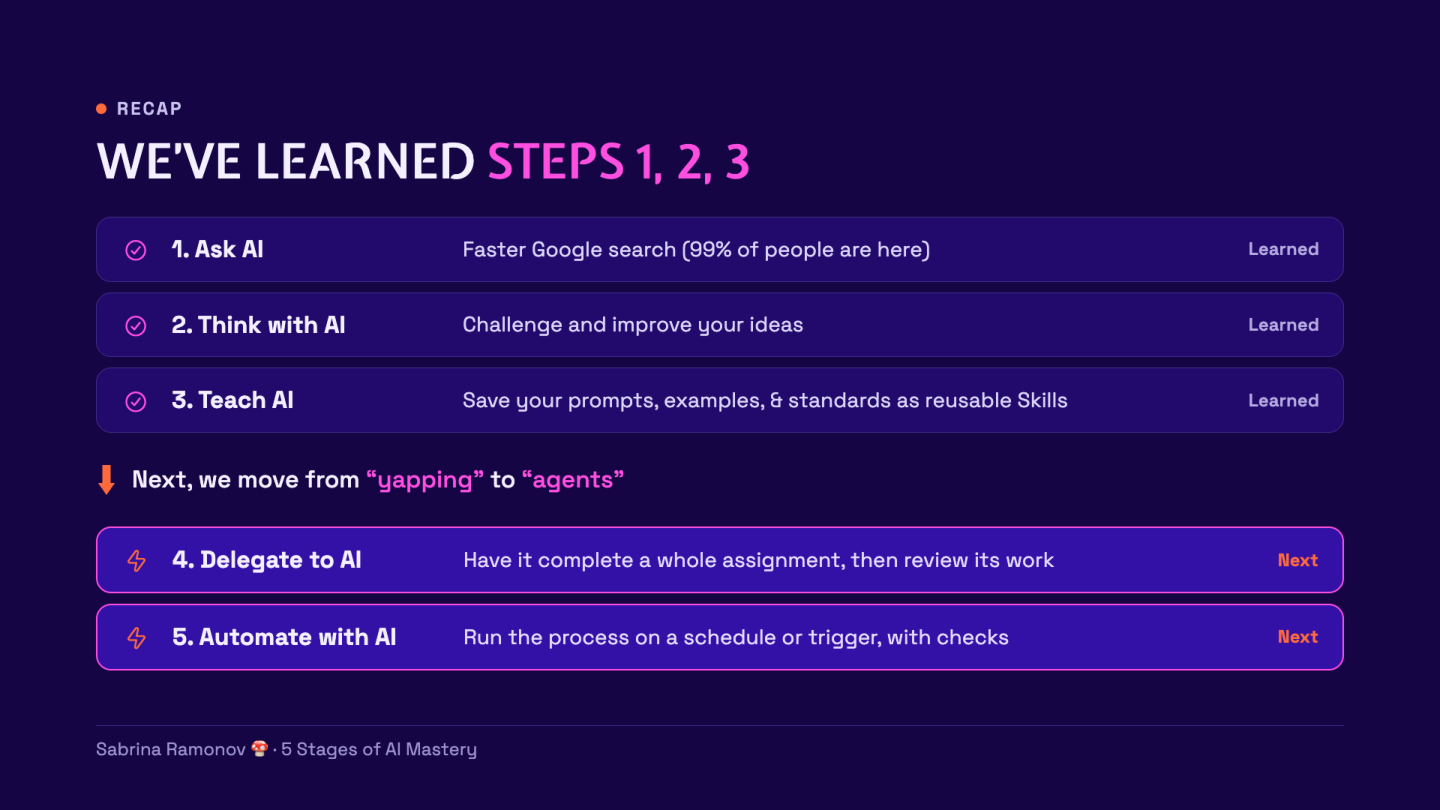
BUT, so far, you’ve only worked inside AI chat.
Now we’ll use these same techniques and foundations for a more complex task involving multiple files.
Subscribe to my Youtube and hit the “notification” bell
So that you never miss my free trainings 👇
4. Delegate to AI: make the report
I’m going to use Claude Cowork in the following examples.
But this also works in Claude Code and ChatGPT Codex.
In the “Delegate to AI” stage, we want to let AI complete a meaningful unit of work.
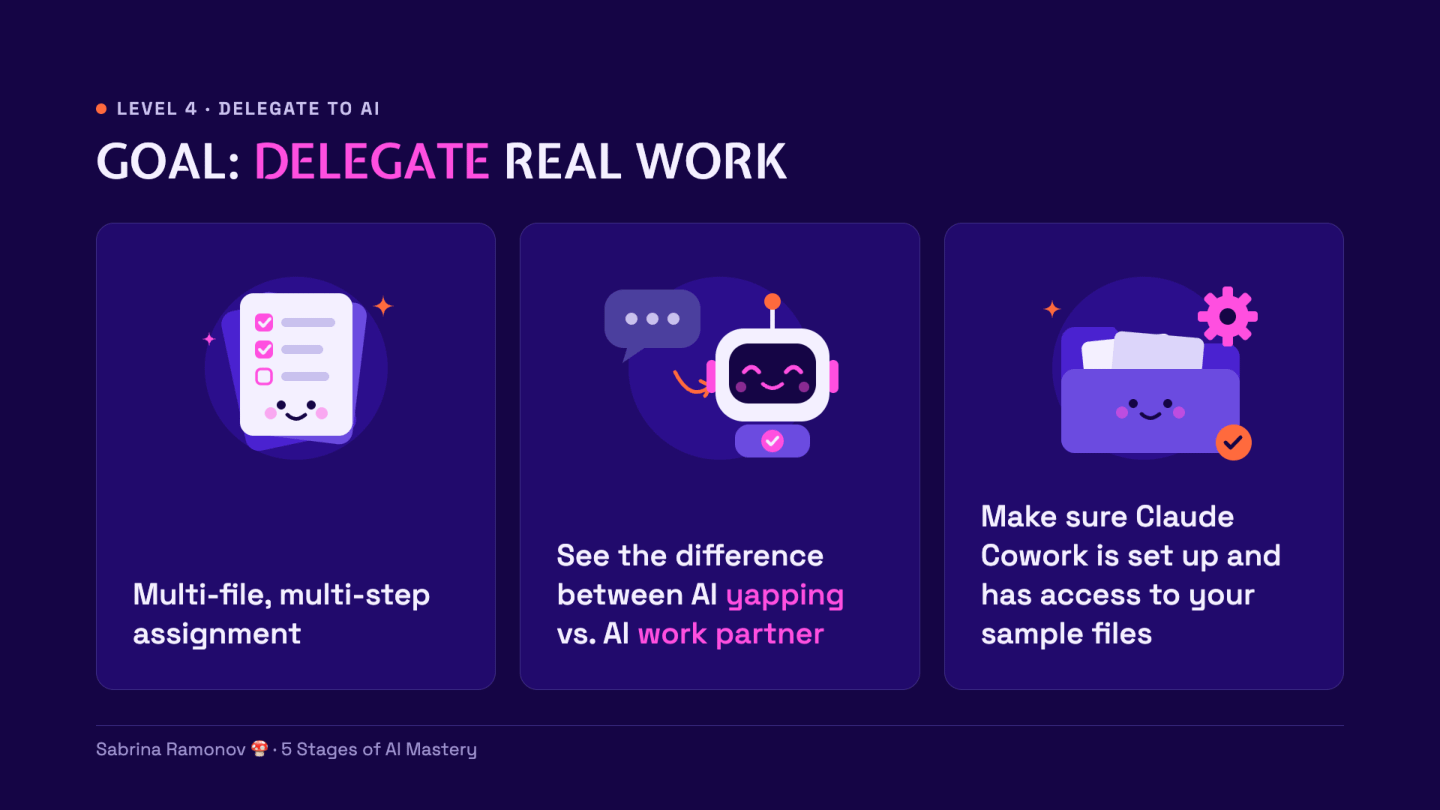
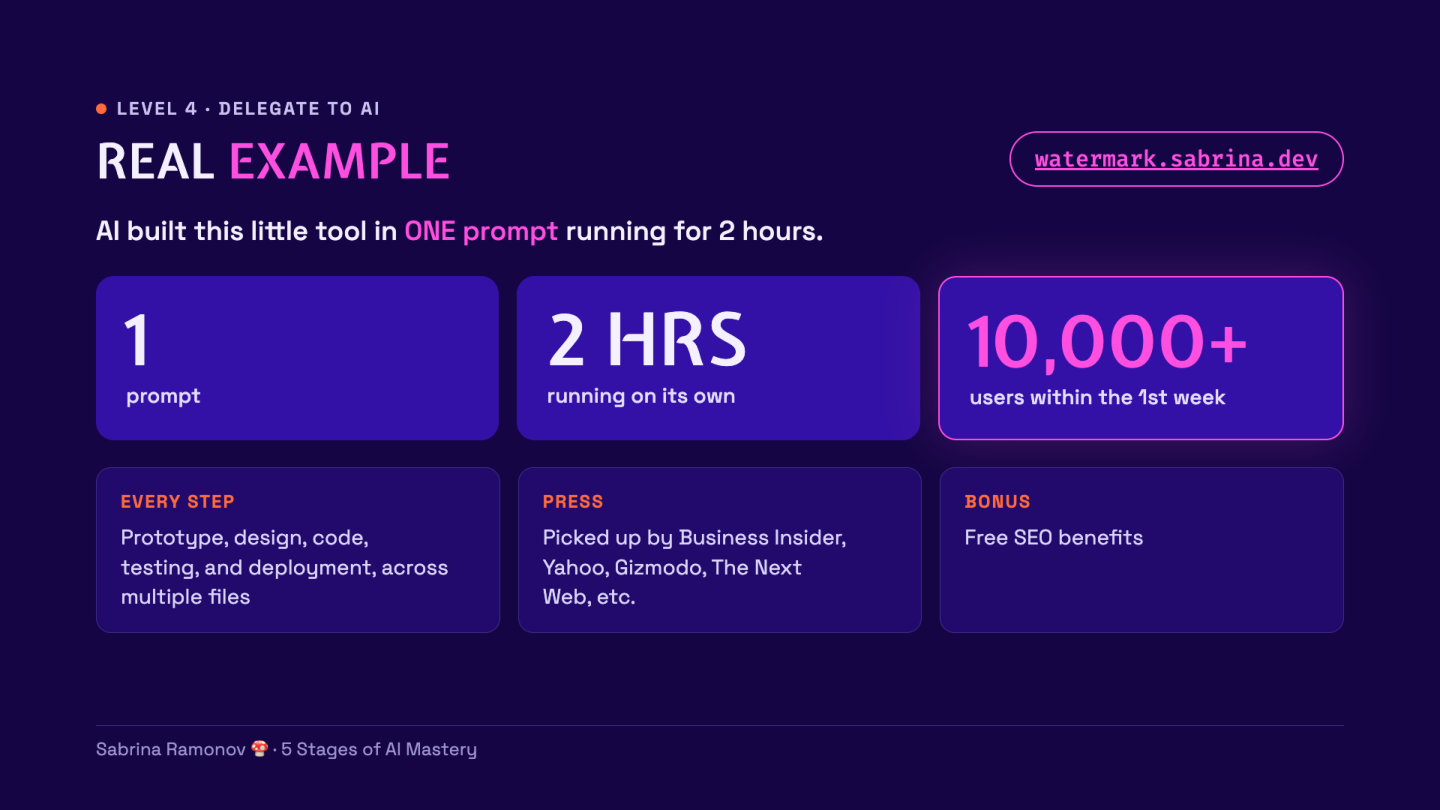
As a recent example, using a single prompt, I had AI spend 2 hours building this viral watermark tool which was picked up by major news outlets and had 10,000+ users in its first week. This complex task involved multiple files across multiple steps, including prototyping, design, coding, testing, copywriting, and deployment.
Although for our first attempt, let’s try a small idea: 5 files and 1 report to produce.
Set up Claude Cowork
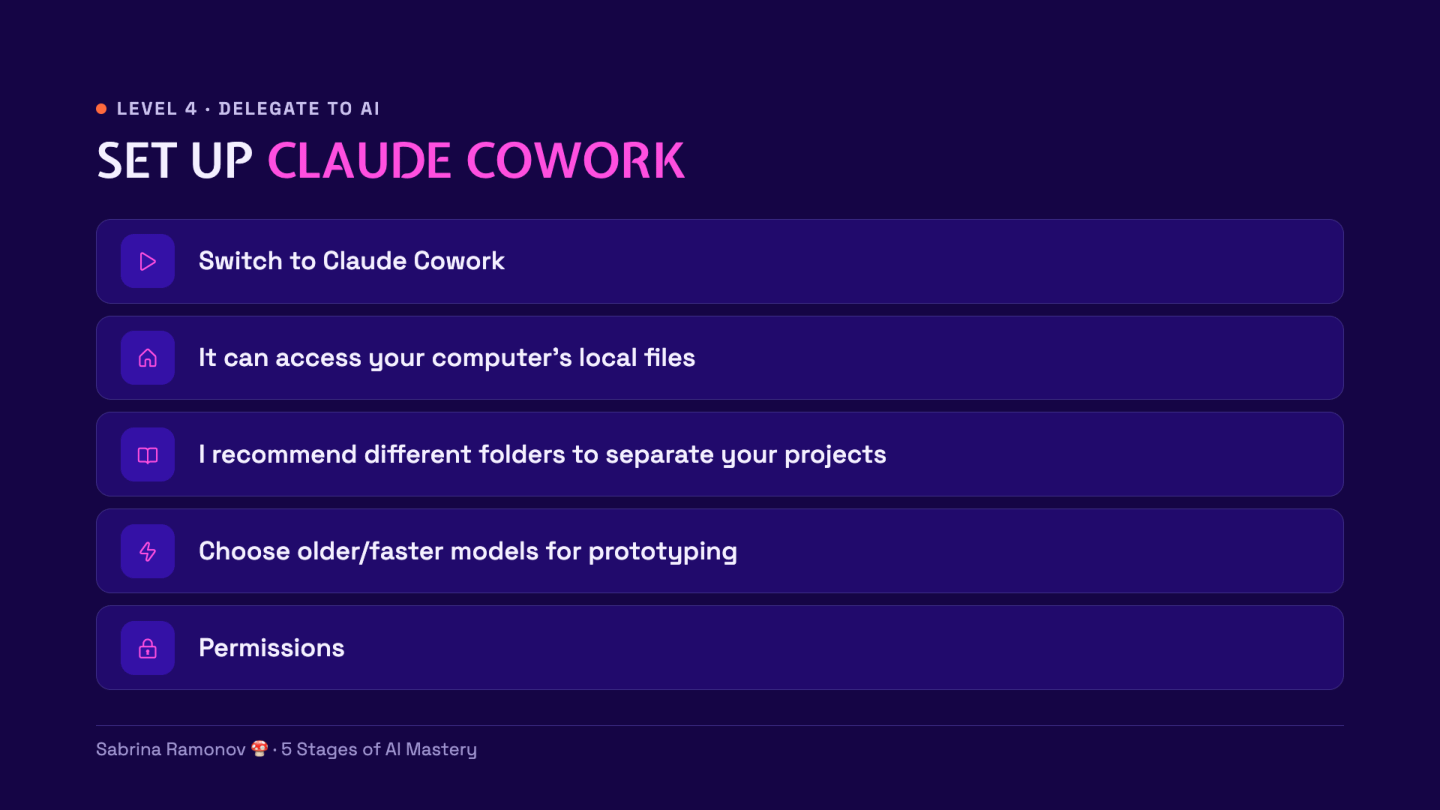
I’m using Claude Cowork for these examples, but again, this works in Claude Code and ChatGPT Codex too.
You need these 3 things:
Claude Desktop: Download for Mac or Windows
Paid Claude plan: Pro is $20/month when billed monthly
Practice files: Download the 5-file exercise
Go ahead and setup the files:
Install Claude Desktop, then sign in.
Open the ZIP download to get the
ai-masteryfolder.Keep the 5 files together in this folder.
Click the “New” button in Claude Desktop.
If the message box has a “Cowork” option, select it.
Done:
☐ Claude Desktop is open
☐ The 5 files are in 1 folder
Give Claude the files
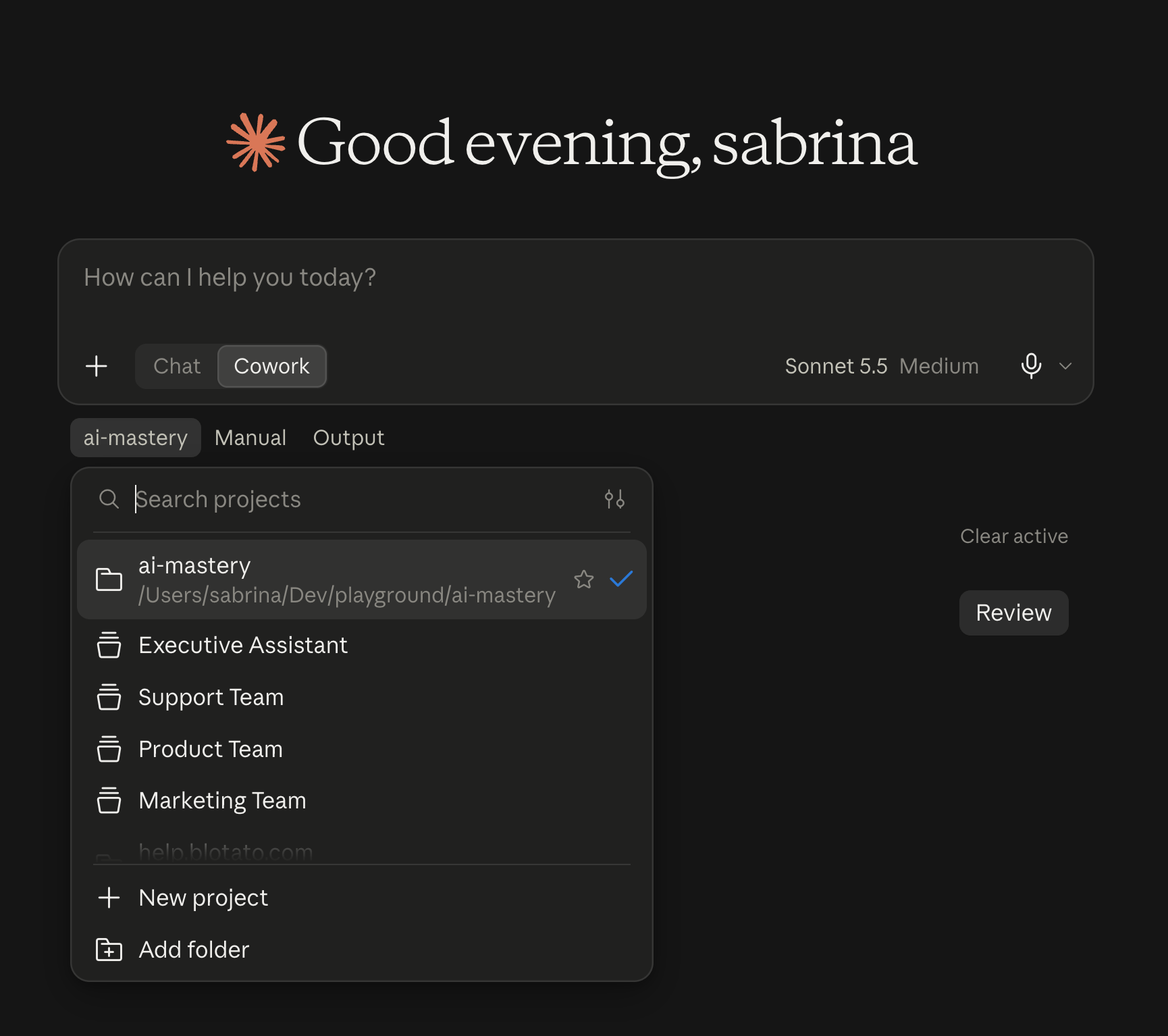
In your new Cowork task, click the “Add folder” button below the message box.
Select your
ai-masteryfolder in the file picker.Check the folder name in the access request, then click the “Allow” button.
Ask Claude to list the files it sees.
The list should contain these 5 inputs:
weekly-sales-orders.xlsxcustomer-feedback-export.csvteam-updates-week-40.docxlast-week-business-review.pdfreview-instructions.docx
An .xlsx file is a spreadsheet.
A .csv file is a simple table.
A .docx file is a Word document.
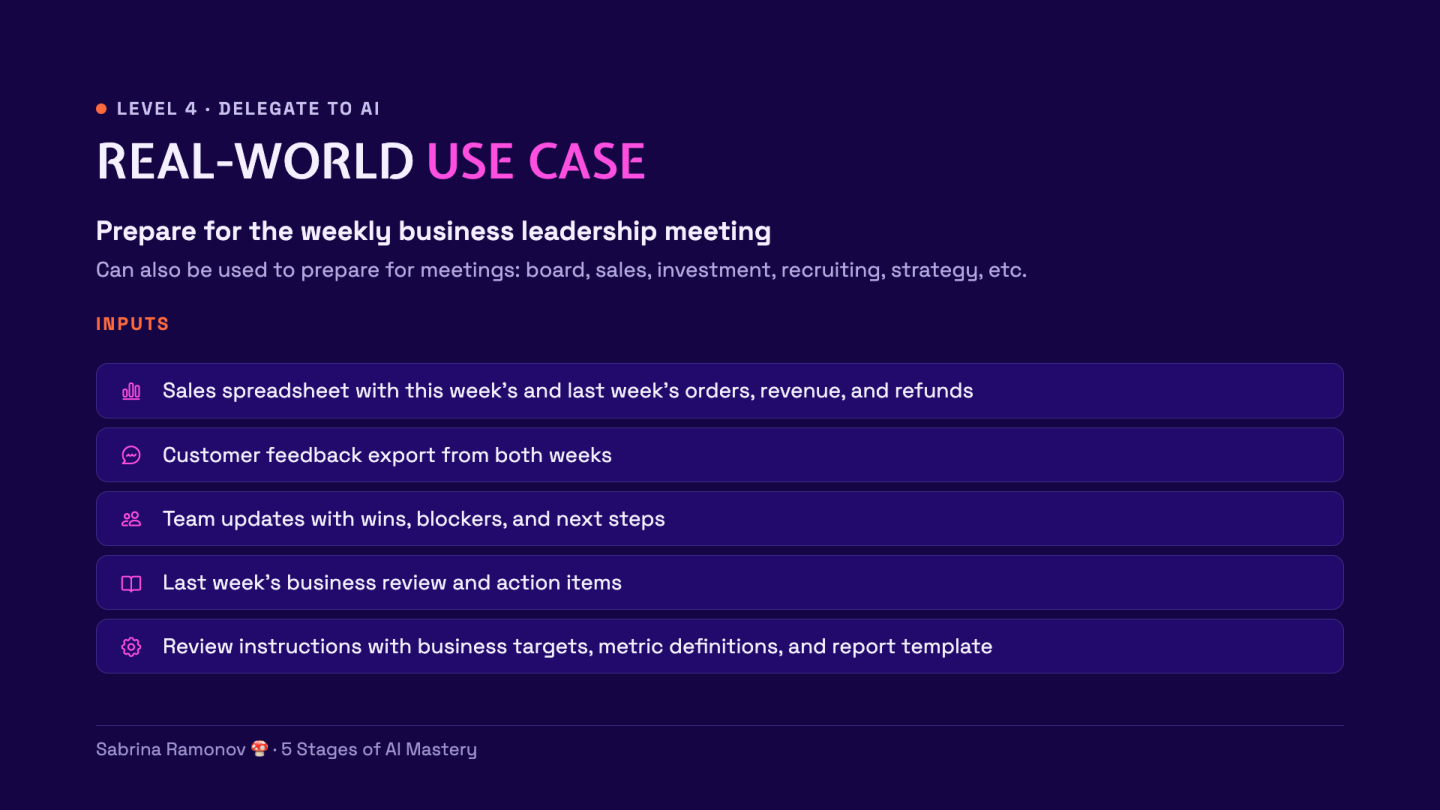
Here’s the real-world use case:
Imagine you run a small business. Every Monday, you need to know what happened last week and what needs your attention. But the answers are scattered across sales spreadsheets, customer feedback reports, and team updates. Instead of reading every file and building the report yourself, you can give AI the files and a set of instructions. It prepares a draft that shows what changed, what might be wrong, and what to discuss at your next team meeting. Your job is to check its work and decide what to do next.
Run the assignment
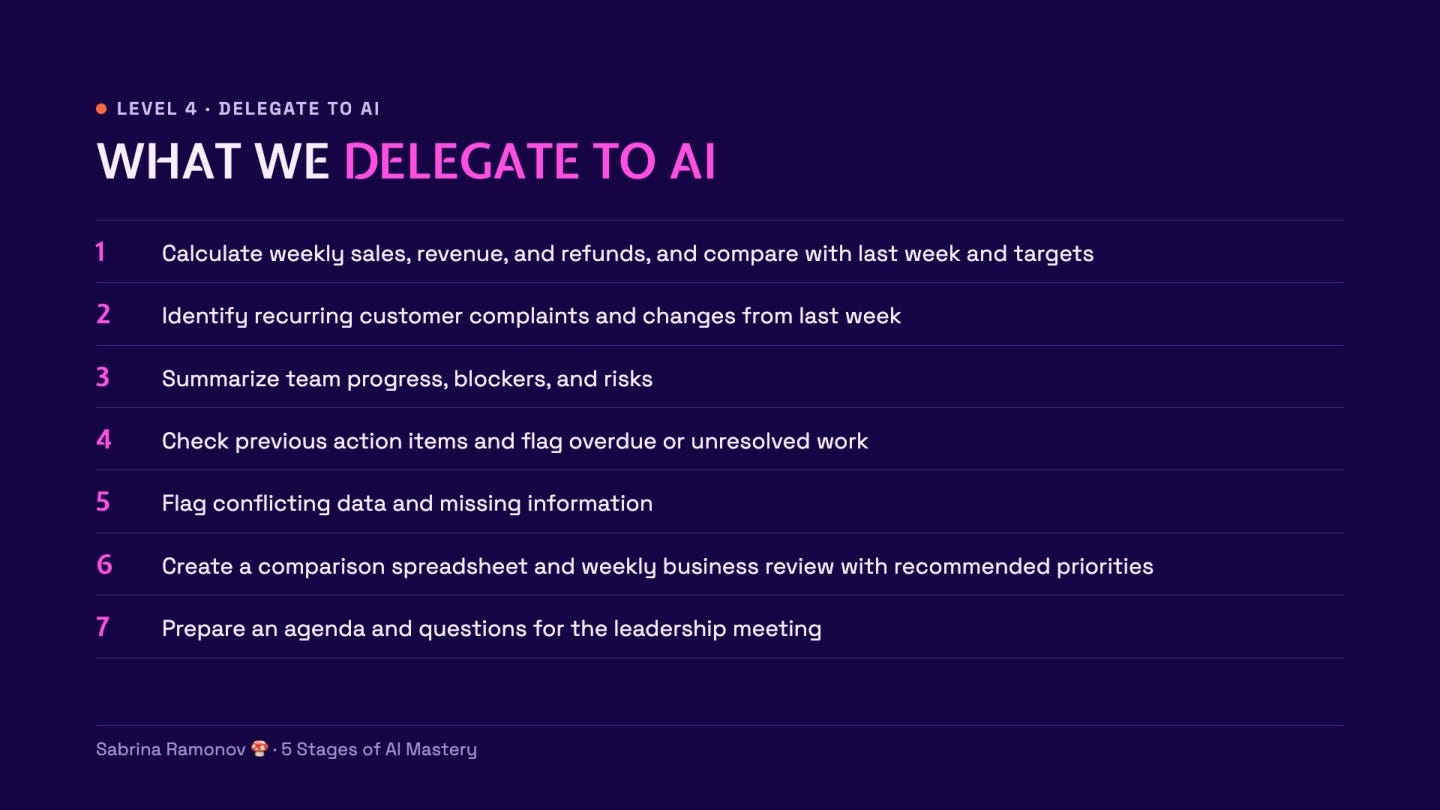
Now, we’re going to delegate a big chunk of real-world work to AI.
Claude will analyze the files and write a weekly report to be used in our next “business leadership meeting”.
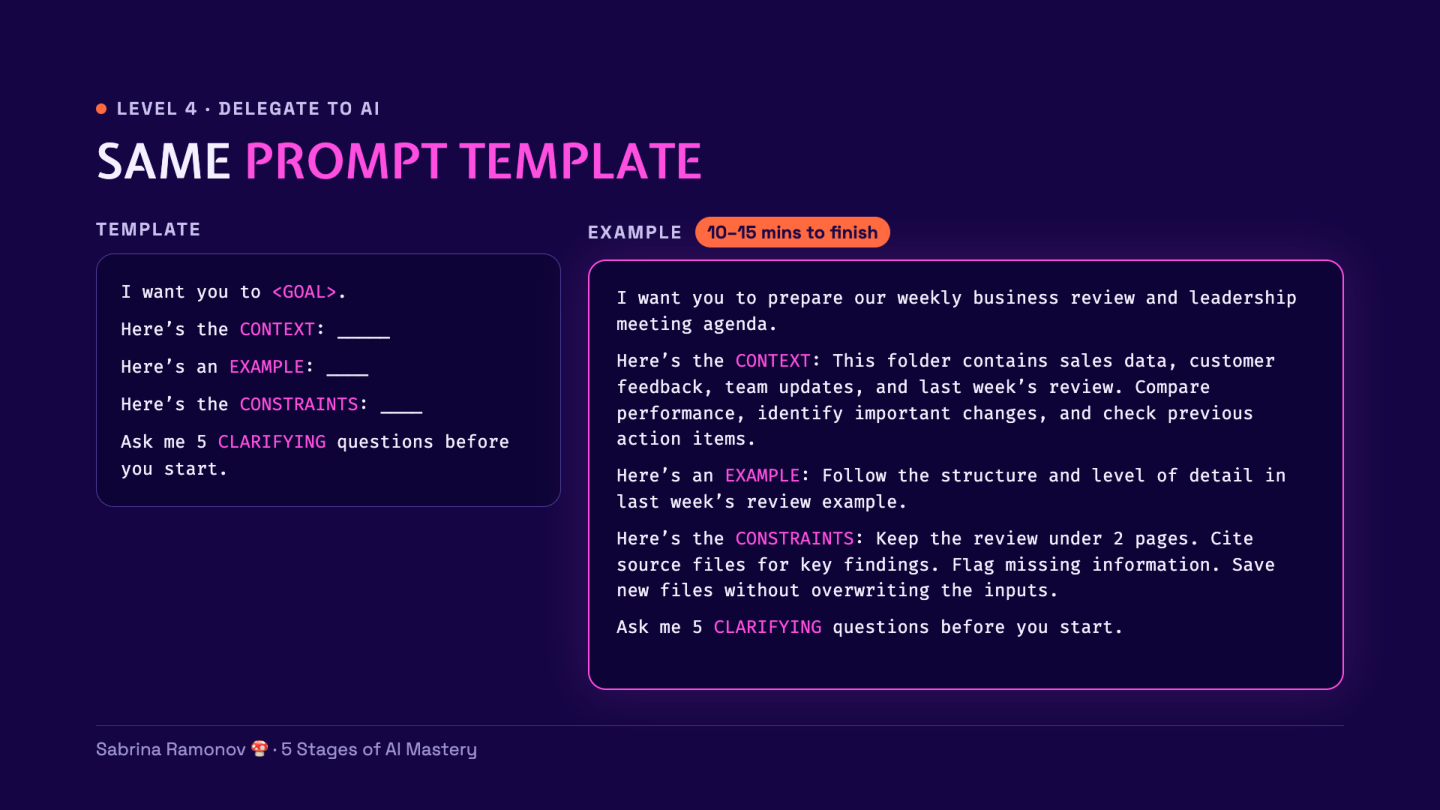
Use the prompt structure from Stage 3 for the report:
I want you to prepare our weekly business review and leadership meeting agenda.
Here’s the CONTEXT:
This folder contains sales data, customer feedback, team updates, and last week’s review. Compare performance, identify important changes, and check previous action items.Here’s an EXAMPLE:
Follow the structure and level of detail in last week’s review example.Here’s the CONSTRAINTS:
Keep the review under 2 pages. Cite source files for key findings. Flag missing information. Save new files without overwriting the inputs.Ask me 5 CLARIFYING questions before you start.
Always verify
Here is the final report AI made:
(sample data from a made-up business)
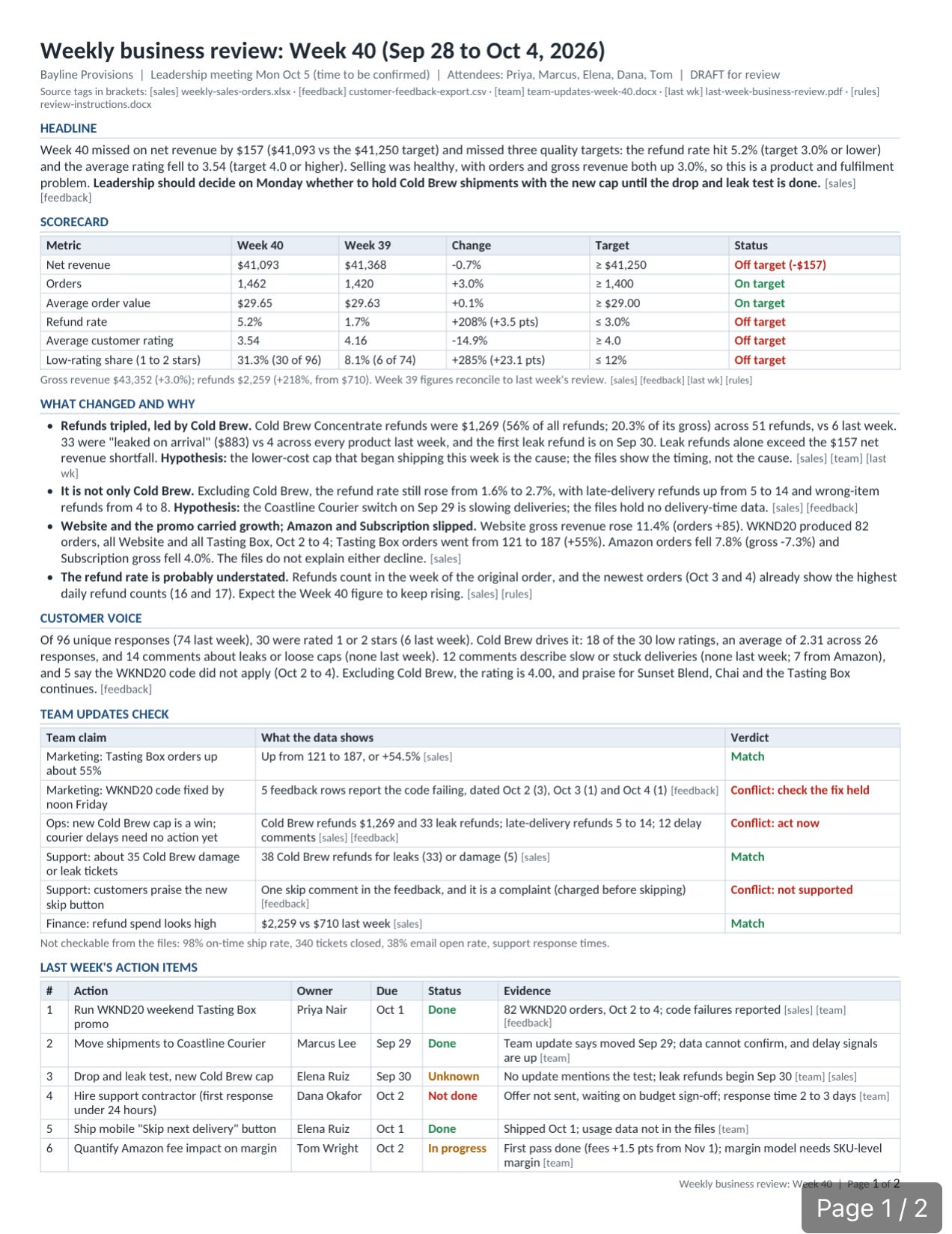
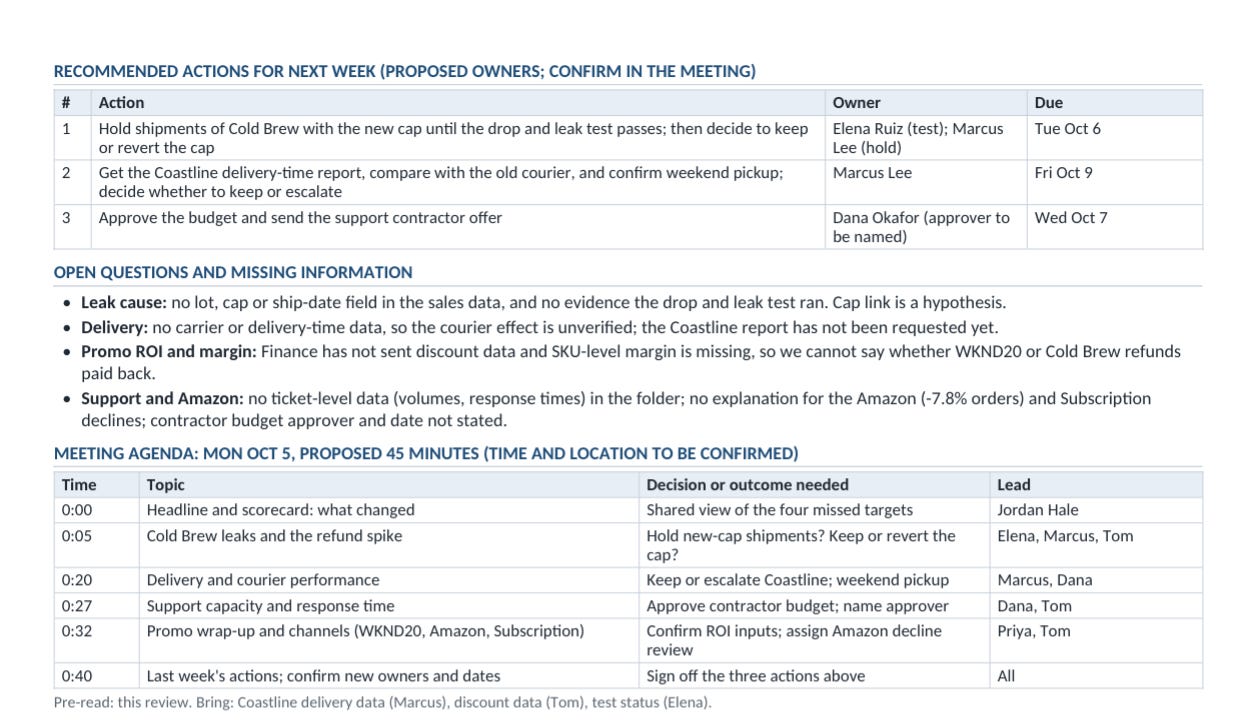
Remember to VERIFY outputs generated by AI:
Open the final report produced by AI.
Compare its figures with the source spreadsheet.
Check whether each explanation has evidence in the files.
Confirm the original 5 files are unchanged.
Give feedback and corrections, then save the report rules with the prompt below.
After checking the full report, we’ll save what worked!
Create a SKILL based on our chat, so I don’t have to repeat myself.
(Yes, this is the same exact prompt from Stage 3 AI Mastery)
Done:
☐ New report saved
☐ Numbers checked
☐ Guesses labeled
☐ Report skill saved
Now test your new skill…
Test your saved skill
Click the “New” button to open a new chat.
Add the same practice folder with the “Add folder” button.
Send the prompt below.
Use my weekly-business-review skill on this folder.
If AI missed something important, simply tell it… then tell it to update the skill and try again :)
Once this test works and you’re happy with the report, the next step is to turn this into an automated system that runs with you prompting it.
5. Automate with AI: test, then schedule
Finally, stage 5 of AI Mastery is “Automate with AI”.
We’re going to turn this reusable skill into an AI agent that runs on a schedule, without your manual prompting.
Here’s how I personally think about “Autonomous AI Agents”:
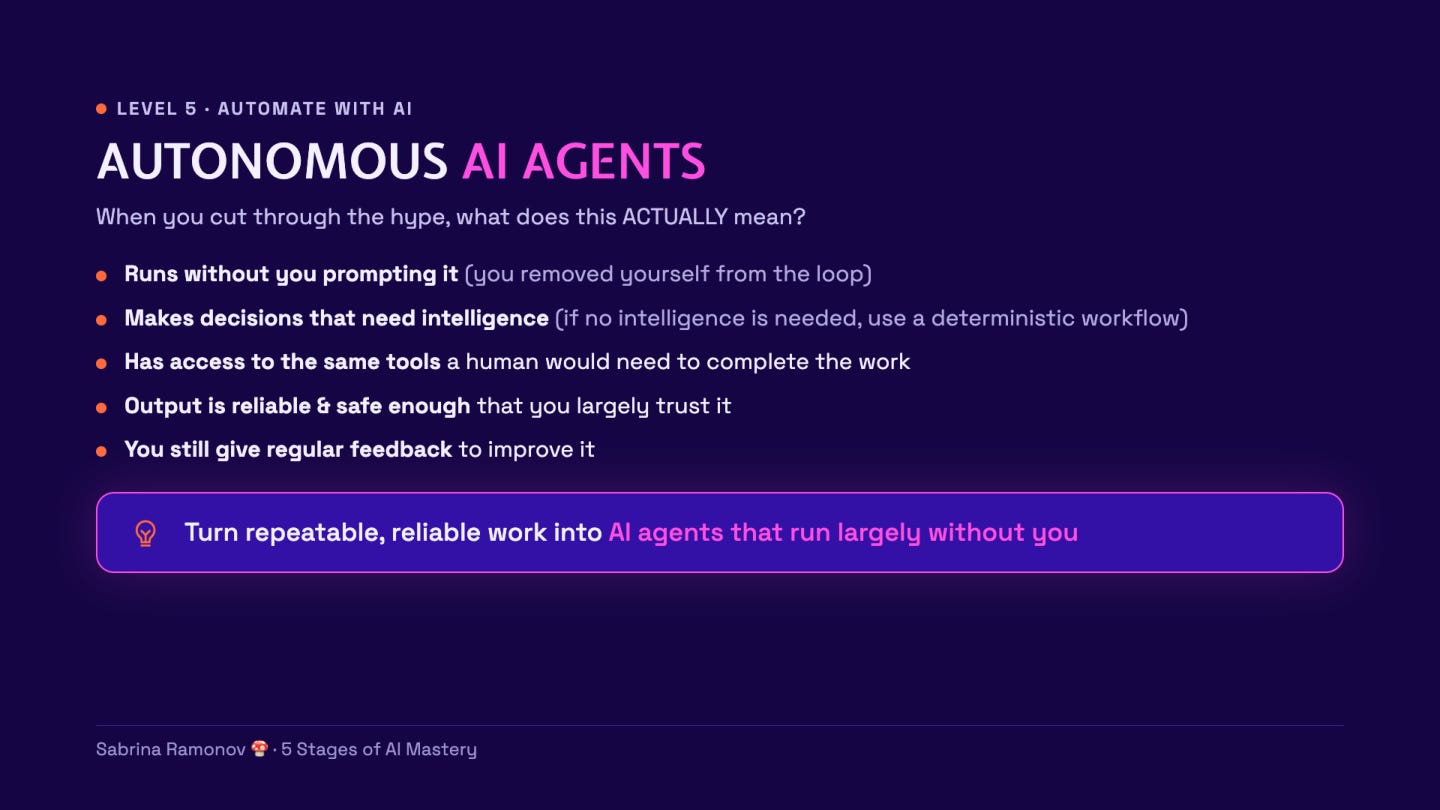
Let’s have our AI agent prepare a draft for YOU to review.
Keep the first version simple
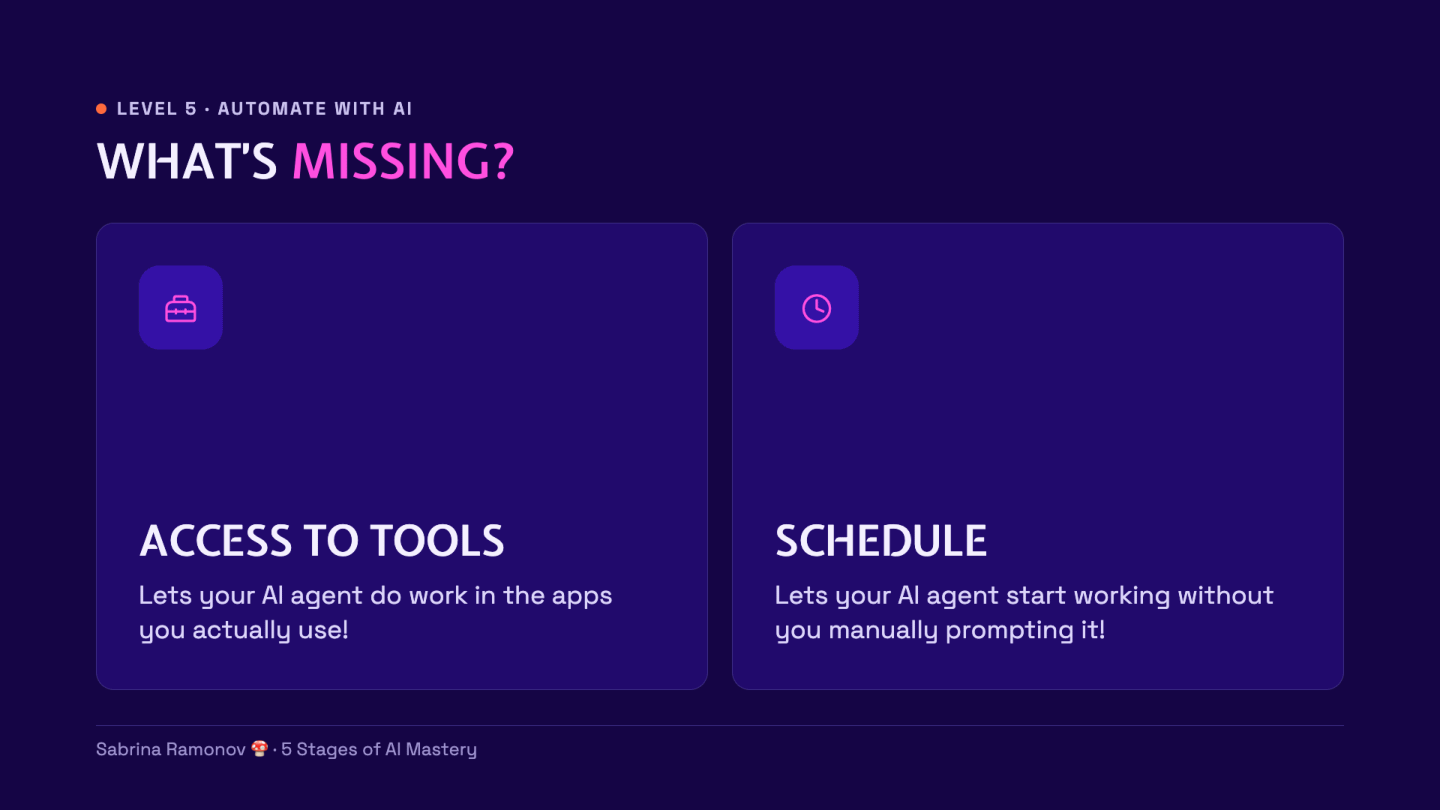
Without tools, you’d have to manually export data from your business systems every week, then drop them into the folder for AI to access. The latest sales numbers, the latest customer support complaints, etc.
A better approach is to equip your agent with TOOLS, so that your agent can access the same apps & data you use.
In Claude, this is called Connectors.
In ChatGPT, this is called Plugins.
In general AI speak, this is called Tools.
Same thing!
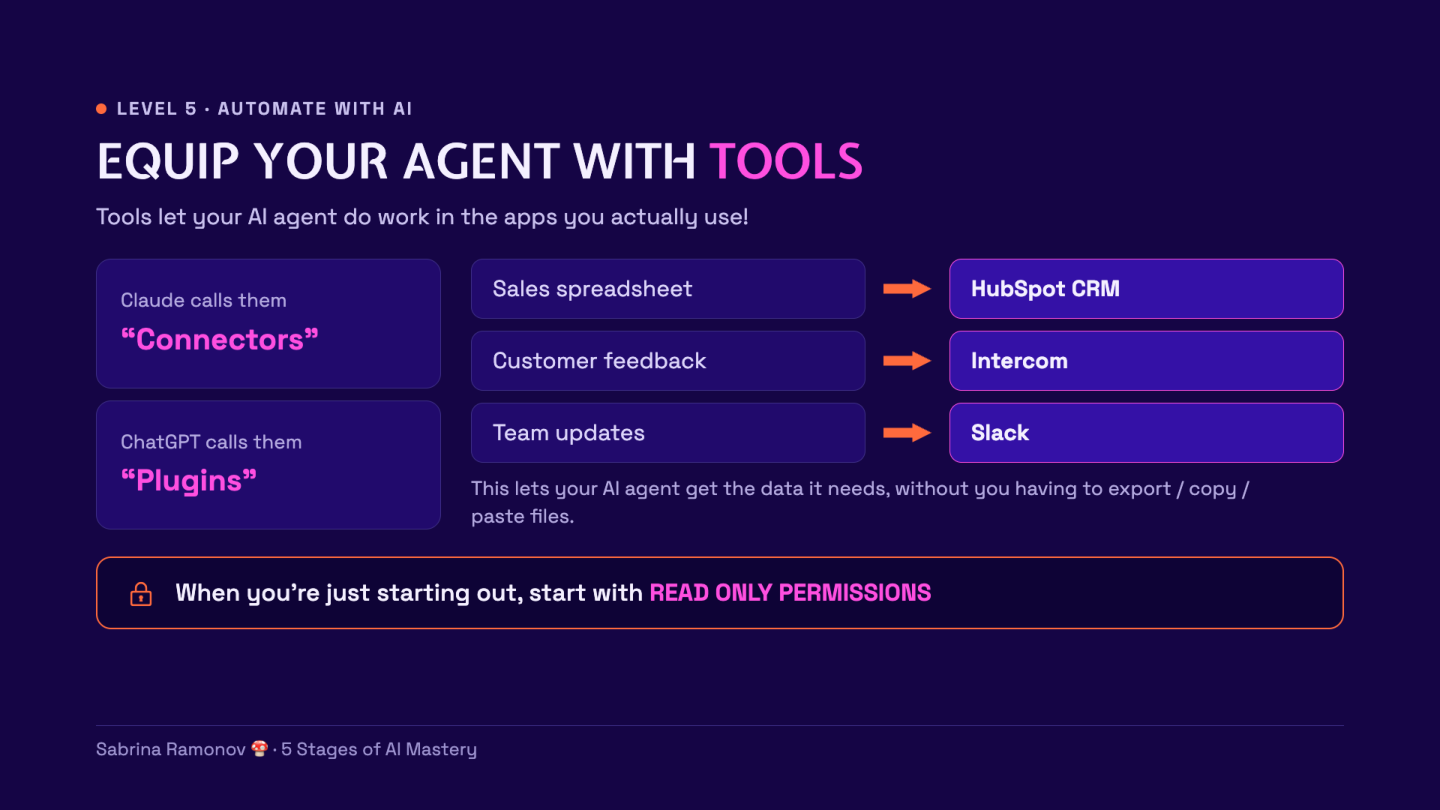
For example: following through our “weekly business report” use case, we could connect our AI agent to tools, such as…
HubSpot for sales
Intercom for support
Slack for team updates
Optional: connect your first tool/connector/plugin
I recommend going through these steps so you know HOW to connect tools to your AI agent.
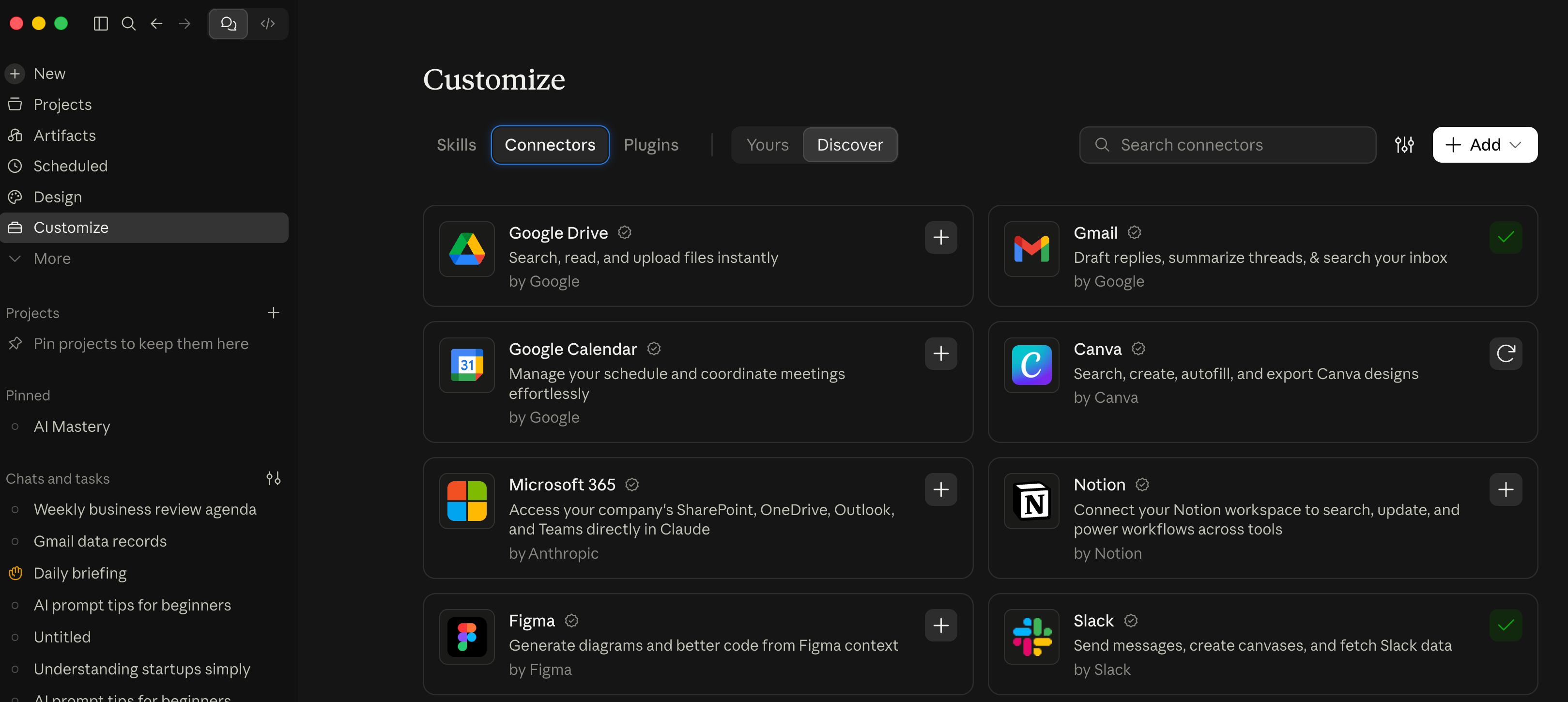
Click the “Customize” button in Claude’s left sidebar. (In ChatGPT Codex, go to Settings > Plugins).
Select the “Connectors” page, then choose an app you actually use. For example, try connecting GMAIL.
Click the “Connect to Claude” button and follow the sign-in steps.
Open “Tool permissions” and disable write/delete actions while you’re still learning.
Try this prompt, replacing [app] with your connected app’s name:
Read the latest 3 records from [app].
Show their dates and sources.
Don’t change or send anything.
For example, if you connected Gmail, then AI would read your latest 3 emails and tell you about them. That means you’ve successfully connected your AI Agent to a tool you actually use!
Create the schedule
Next, we want our AI Agent to run on its own, without us.
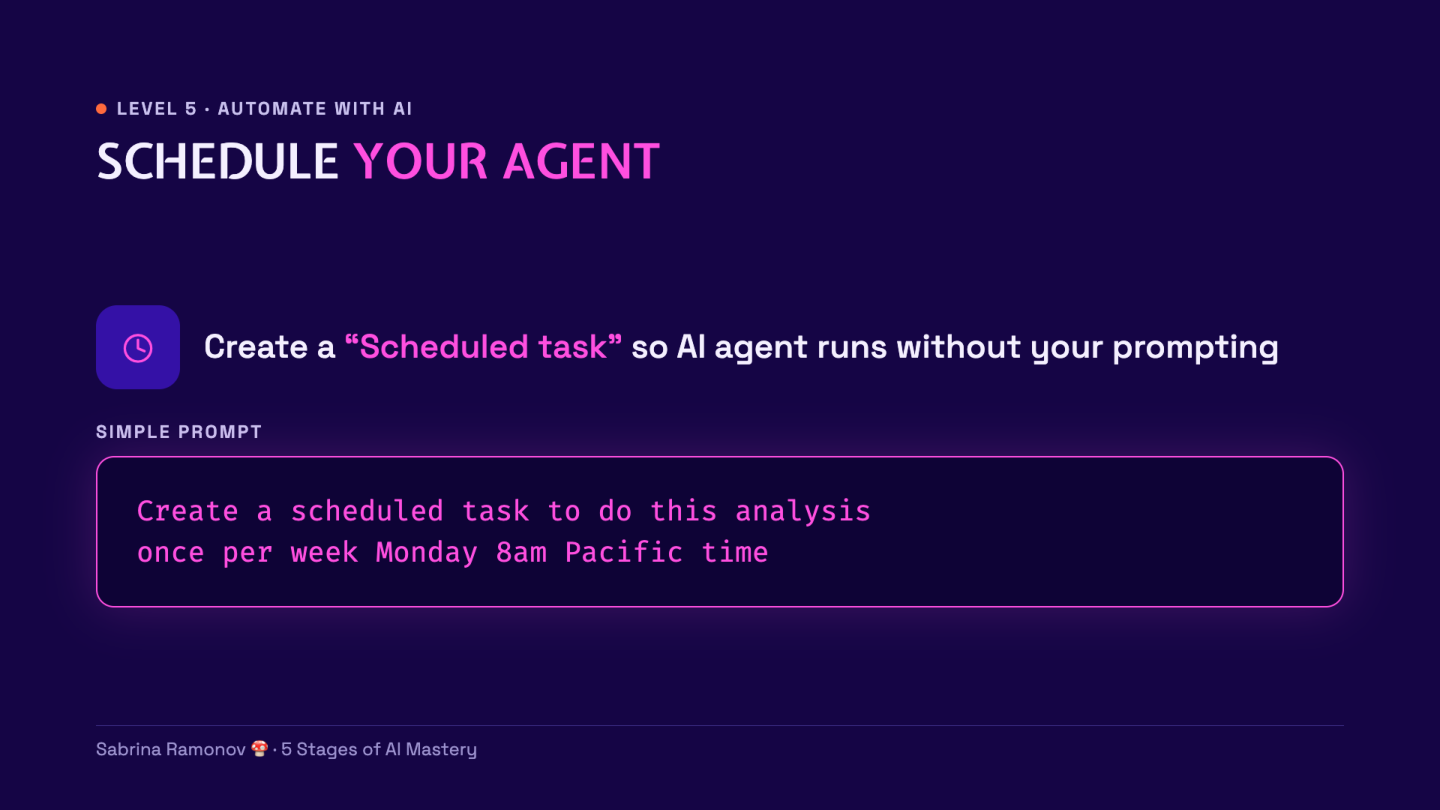
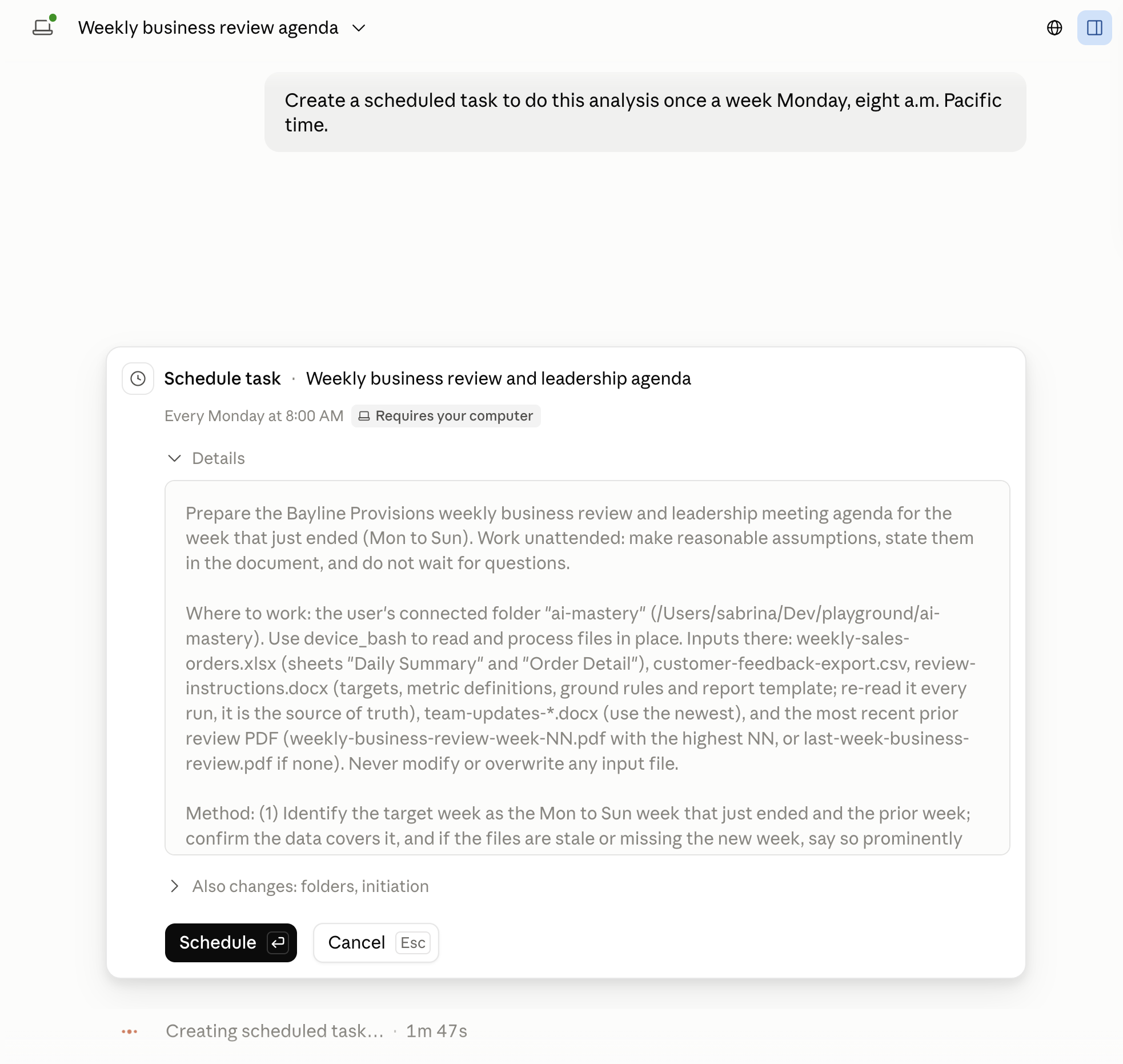
Use this prompt in your tested task:
Create a scheduled task to run my “weekly-business-review” skill every Monday at 8:00 AM Pacific time.
Review the popup, then click the “Schedule” button to confirm:
Click the “Scheduled” button in the left sidebar.
Open your “Weekly business review” task.
Check the time, time zone, and next run date.
Click the pencil-shaped “Edit” button if they need fixing.
Check the “Instructions” field for the latest-week rule and the right folder.
Click the “Save” button after any edits.
My demo uses the “Requires your computer” setting.
For local files, keep the desktop app open and the computer awake and online.
CAVEAT: In a few days (Oct 6 2026), Claude Cowork tasks will run in the cloud by default, instead of on your local computer.
Final check:
☐ Correct week
☐ New report
☐ Verified figures
☐ Correct schedule
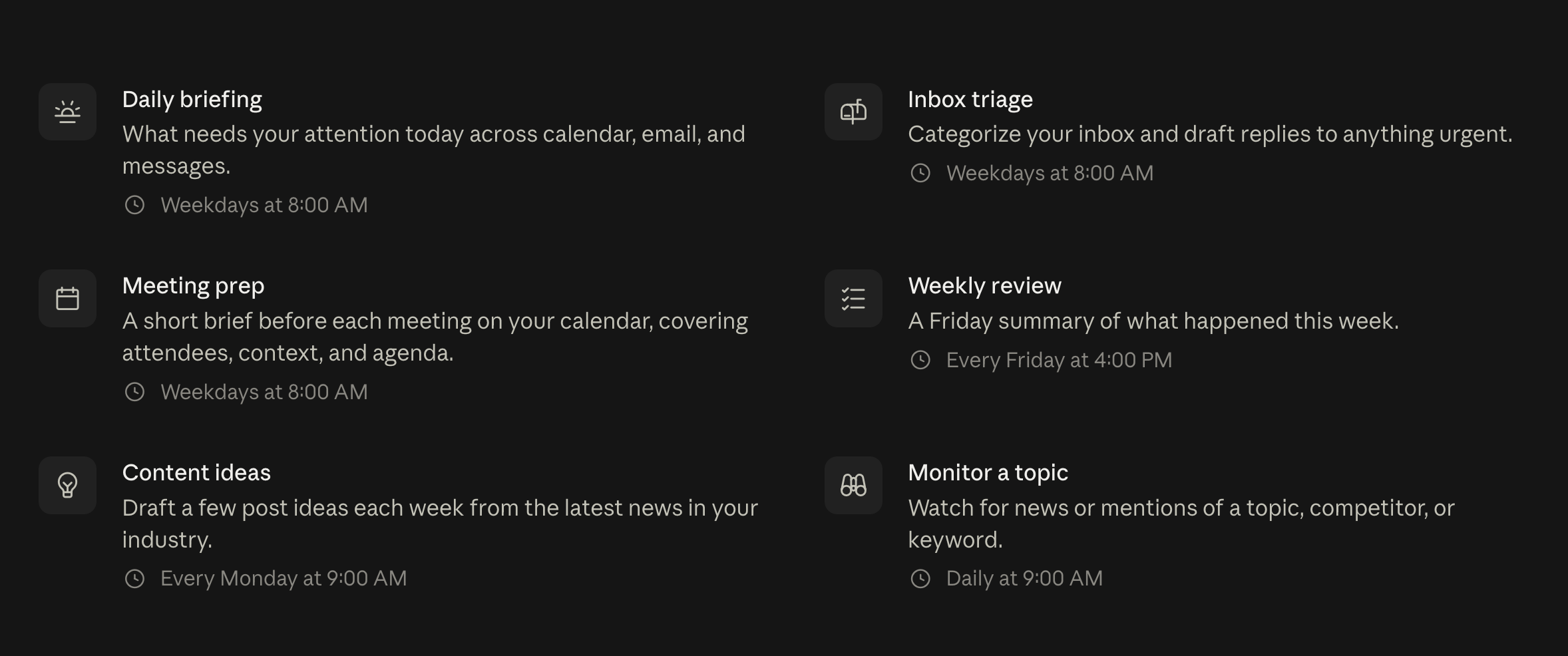
Scheduled tasks are very powerful! Here are common ones:
Put the 5 stages together
Here’s how our 5 stages of AI Mastery map to the weekly report:
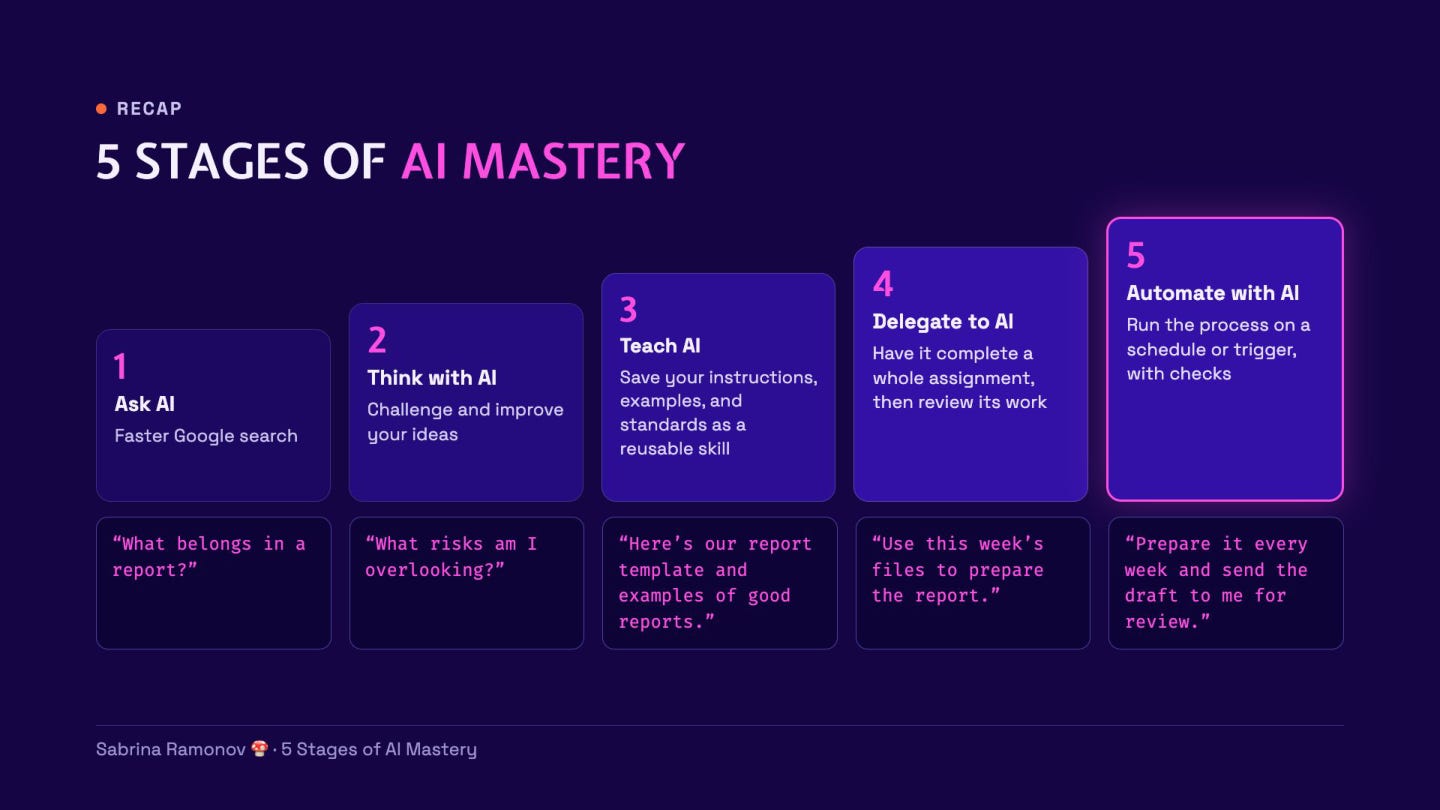
Ask: What belongs in the report?
Think: What risks am I overlooking?
Teach: Here are the rules and an example.
Delegate: Use these files to prepare it.
Automate: Repeat the checked process each week.
Once everything looks good, you have your first autonomous AI agent, running weekly to analyze your data and prepare a business leadership report.
To use the same process for your own work, try this…
Next steps: choose your own task
Pick 1 task that takes you 30–60 minutes each week.
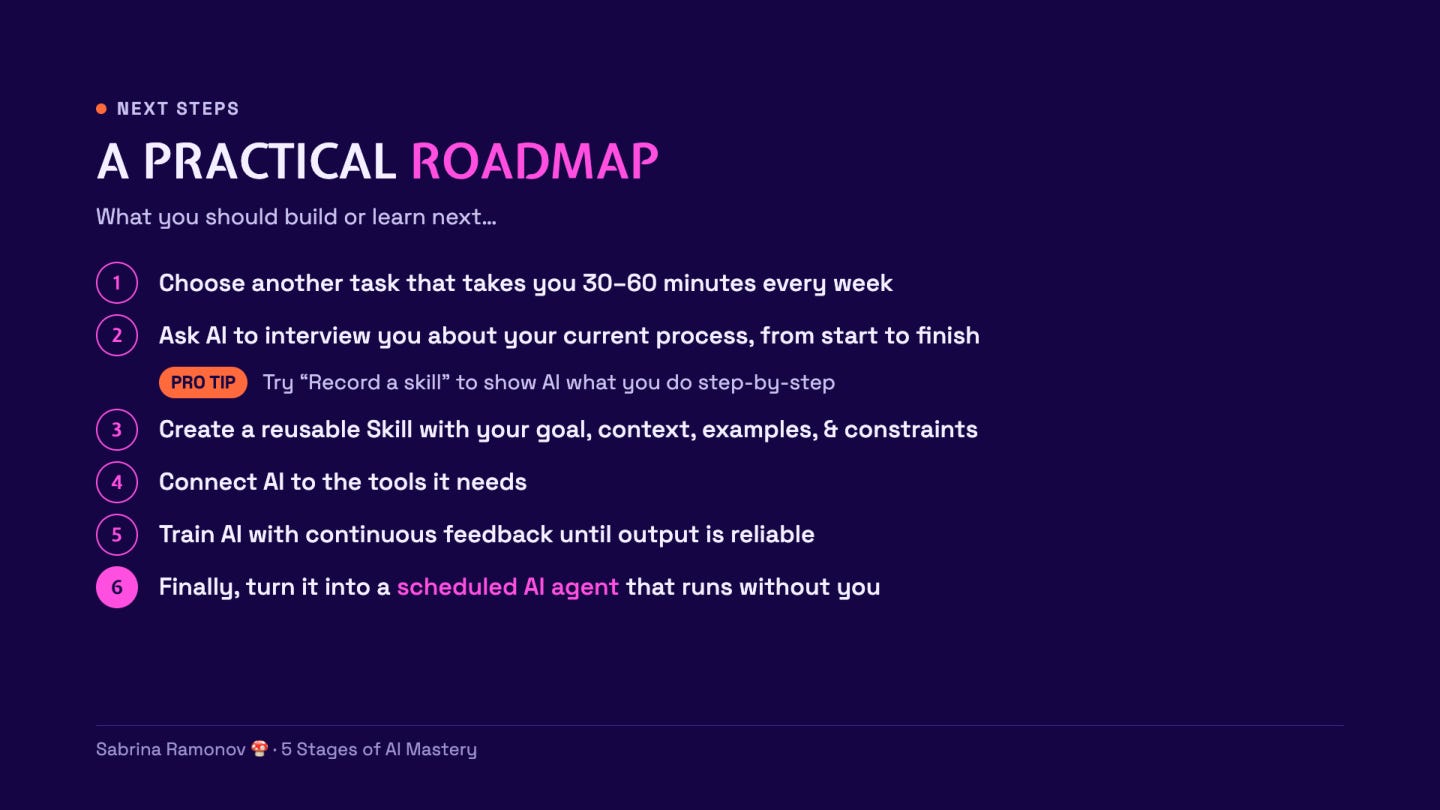
Ask AI to help you describe the steps:
Interview me about how I do [task], from start to finish.
Ask 1 question at a time.
Then help me write the goal, context, examples, and constraints for a reusable skill.
If the task involves clicking through screens, you can also show Claude what you do.
In Claude, click “+” then “Record a skill”:
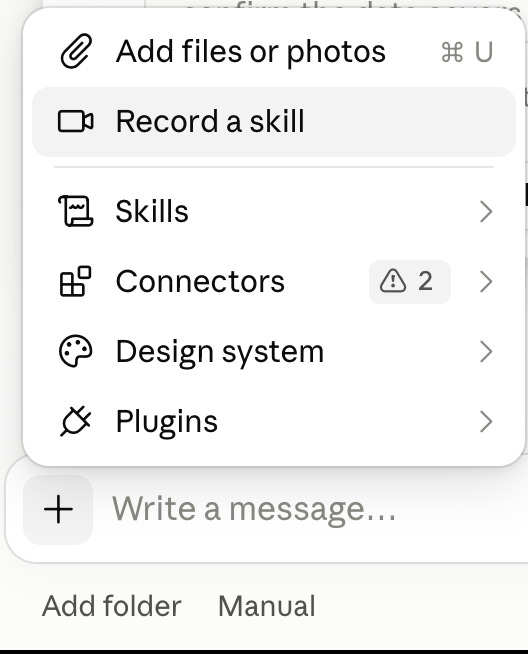
But this is optional. Written instructions are enough to start :)
Use either method to teach the task, then test the saved skill.
Add tools and a schedule only after you trust the result.
That SEQUENCE is the habit that will make you successful learning any AI tool.
RECAP
I use this formula all the time:
AI Leverage = Your Skill × Your Clarity
Your skill means knowing the job, checking work, and consistently providing helpful feedback for AI to do better next time.
Your clarity means explaining the goal, context, examples, and constraints.
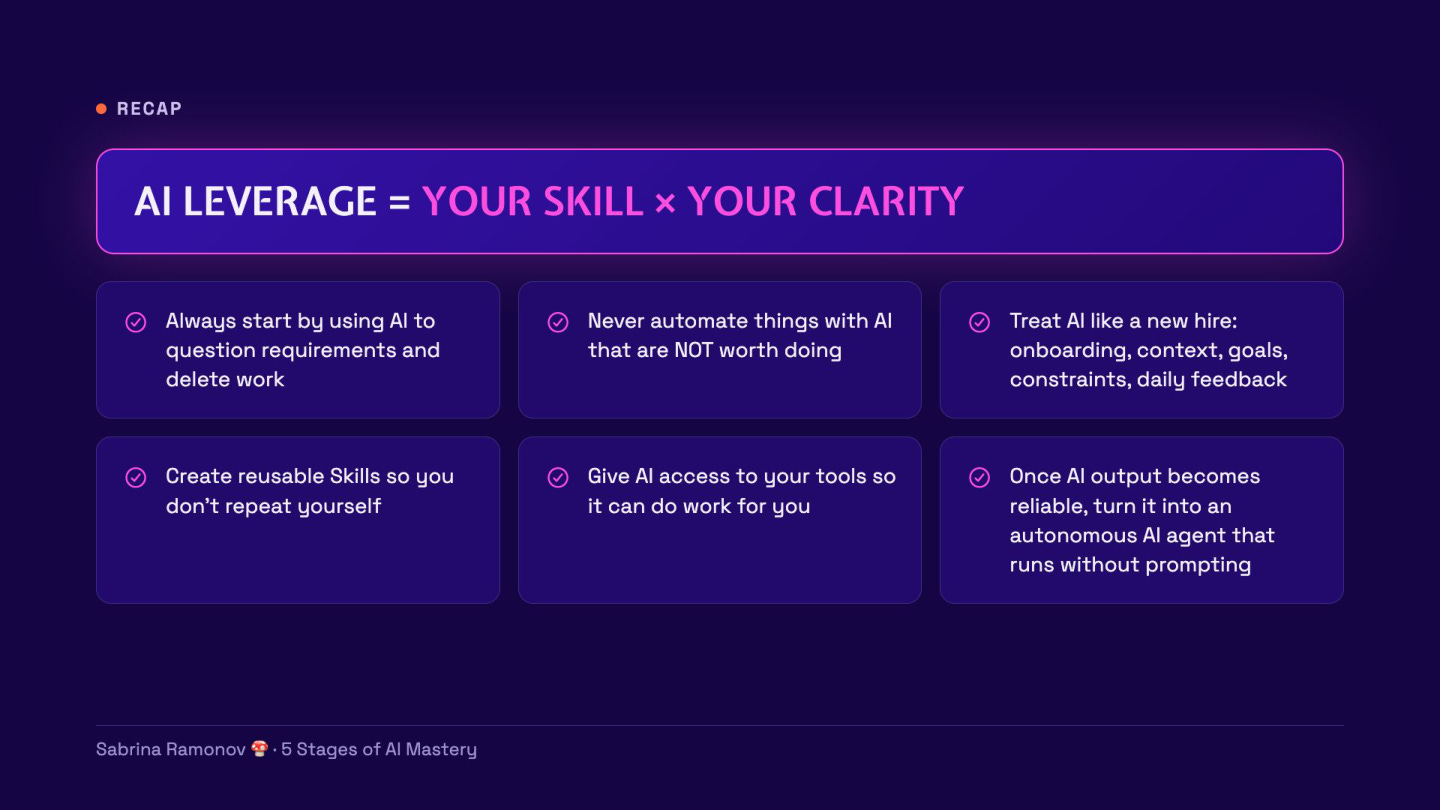
But remember:
Use AI as your sparring partner to question requirements.
Because deleting work is SUPERIOR to automating it.
Focus on the work that really matters.
Then, teach AI how you like to do that work.
Give AI more freedom, such as access to your tools and a repeating schedule, as its results improve and become reliable.
Even when your autonomous AI agents are running in the background, periodically check in to review their work & provide more feedback.
FAQ
Do I need coding skills to build this AI agent?
No coding is needed for the Claude Cowork steps in this tutorial.
You give instructions in plain English and select a folder.
Is Claude Cowork free?
Cowork requires a paid Claude plan.
Pro costs $20/month when billed monthly.
What’s the difference between a skill and an agent?
A skill holds reusable instructions for a job.
An agent uses instructions and tools to do the job.
Does saving a skill mean the report will run every week?
No, you must create a schedule and check its settings.
Test the saved task with “Run now” before relying on it.
Why did my scheduled review stop?
Check whether the folder is accessible and the files cover the latest completed week.
Replace stale files, then try “Run now” again.
Is this actually an AI agent, or just a scheduled prompt?
The schedule only tells it when to start. The agent decides how to complete the task: which files to inspect, which tools to use, and what to do when something is missing. If every step is fixed in advance, I’d call it a deterministic workflow and you may be better off using a non-agentic workflow tool. Scheduling alone doesn’t make something an agent.
When we create a skill, is the AI actually learning?
We’re saving a playbook it can read next time. We’re not retraining the underlying model. That playbook can hold instructions, examples, and scripts. If you correct an answer, ask AI to update the skill, then test it in a new chat. Never assume feedback in 1 conversation automatically becomes a permanent rule.
Why use an agent instead of a normal automated workflow?
Use fixed rules for predictable work, like calculating revenue. Use AI for work involving messy information, like finding common themes across disparate data sources complaints. An AI agent makes sense in use cases where intelligent decisions need to be made at run-time. If it’s a deterministic workflow where each step is already predetermined, then you likely don’t need an AI agent.
How do you control access to sensitive company data?
For this exercise, we used sample data. In a company, start with an approved tool and a dedicated folder containing only what the task needs. Give read-only access, plus a separate place to save drafts. Enforce those limits through permissions. Telling AI not to change anything is an instruction, not an access control.
What happens when the inputs change?
It might adapt, but I wouldn’t rely on that without checks. Have AI check the files, dates, required columns, and metric definitions before writing the report. You can even test this deliberately: remove a file or rename a column, and see what AI tells you (or doesn’t tell you). This is why safeguards and evals (structured tests) become important.
How do you know the report is accurate?
Check the numbers and the story separately. Recalculate key figures from the source files. Then check whether the evidence supports each conclusion. An increase in refunds might be a fact. However, blaming that increase on new packaging might only be a guess. You should always verify AI’s outputs and have a feedback loop to catch issues and provide feedback.
What does reliable enough mean before you automate it?
Write the pass conditions first: correct figures, correct dates, sources for key claims, missing data flagged, and no changes to the inputs. Test it on several past weeks, including a week with a missing file or unusual result. Initially, automate the draft preparation while keeping manual human review. Tools like Claude Code have commands like “/goal” where a separate independent AI model checks the work of the main AI model, leading to fewer hallucinations and issues.
Who is accountable when AI makes a bad recommendation?
A person is accountable at the end of the day. For instance, AI can suggest investigating refunds; but, it’s ultimately up to the business owner to decide whether to change the product. Keep the inputs, report, and corrections so you can trace mistakes. When something goes wrong, fix the instructions or guardails before the next run.
How would you measure the ROI?
Time yourself doing the report manually. Then measure your time preparing inputs, reviewing the AI report, and fixing mistakes. If the manual version takes 2 hours and the AI version needs 30 minutes of your attention, you save 1.5 hours per week. But this is just one task. If you keep applying these principles to multiple tasks, you eventually buy back a lot of time and create leverage for yourself to focus on more strategic work.
Does this create a competitive advantage if every company can build it?
Access to the tool alone probably won’t. The advantage comes from knowing which work matters, having useful data, and building a process that gets better with feedback. Start with 1 recurring decision, such as which customer problem to fix next. Measure whether the report helps you make that decision faster and better. That’s more meaningful than tokenmaxxing!
Not Sure Where To Start? 👇
I’ve organized my best trainings below:
Subscribe to my Youtube and hit the “notification” bell
So that you never miss my free trainings 👇
IMPORTANT: I will NEVER ask you for money. I am NOT sending you friend requests. I am NOT on Whatsapp, Telegram, or messaging apps. I will NEVER sell a course. Always block & report scammers.
Love your teaching approach -:thanks for all you do!
Thank you Sabrina Ramonov for the kindness and the abundant richness of your noble heart in providing free teaching for me who was very frustrated in my imprisonment from childhood until 50 my age Due to experiencing complex mental problems, I am very afraid, anxious and have difficulty speaking directly with other people. I've only been interacting on the internet for a few months after almost never socializing since I was little. Communicating on the internet feels comfortable with my mental state. I'm on the internet looking for free skills to be able to work and earn money from my confinement using an Android tablet that was a gift from my aunt. So that I can be free, empowered, finance my own life and be independent.Thank you Sabrina Ramonov for the magical gift of your teaching 💐💖